
Top 16 Intune Alternatives for the BYOD Era [2026 Guide]


See Venn first in Google Search
Add as a preferred source on Google
TL;DR: Intune alternatives span BYOD security platforms, enterprise browsers, unified endpoint management suites, and RMM tools. Best for: Venn for secure BYOD on unmanaged laptops, Prisma Browser for browser-based access, Iru for mixed Apple and Windows fleets, and NinjaOne for cross-platform patching.
The top Microsoft Intune alternatives depend on your OS ecosystem and management needs. Leading cross-platform tools include NinjaOne for automated IT operations and patching, JumpCloud for unified identity and device management, and Omnissa Workspace ONE for enterprise mobility. For bring-your-own-device (BYOD) environments, secure workspace platforms like Blue Border protect company data without taking over the entire device.
The comparison has also shifted as endpoint management absorbs agentic AI. Microsoft has folded advanced Intune capabilities into its mainstream enterprise licences and added AI agents that review policy changes and remediate vulnerabilities, while starting to treat AI agents on endpoints as managed entities in their own right. Alternatives are moving in parallel, with enterprise browsers and secure local workspaces adding controls over which AI tools can reach company data on devices IT does not own.
Best Intune alternatives by use case:
- For Apple-heavy environments: Jamf Pro is considered an industry gold standard, offering deeper macOS and iOS controls and day-zero support that Intune often lacks.
- For lightweight, budget-friendly IT: Hexnode UEM provides fast setup and intuitive mobile device management at a lower price point than Microsoft’s ecosystem.
- For cross-platform patch management: NinjaOne excels at third-party application patching and is frequently cited as a powerful complement or replacement for Intune’s update capabilities.
- For BYOD and data security: Blue Border by Venn takes a different approach, isolating and protecting company data within a company-controlled secure enclave, without VDI or fully managing the device.
What is Microsoft Intune?
Microsoft Intune is a cloud-based endpoint management solution that helps organizations manage and secure devices, applications, and data. It integrates tightly with the Microsoft 365 ecosystem, providing IT administrators with tools to configure security policies, enforce compliance, and manage both corporate and bring-your-own devices (BYOD) across platforms like Windows, macOS, iOS, and Android.
The platform enables businesses to protect corporate information by restricting access to resources based on device compliance and user identity. Intune leverages integration with Microsoft Entra ID and Microsoft’s security offerings, making it particularly appealing to organizations committed to Microsoft environments.. Its ability to streamline device lifecycle management, automate software deployments, and ensure regulatory compliance places it at the core of many enterprise mobility and security strategies.
The licensing picture has changed as well. Advanced capabilities that previously required the separate Intune Suite add-on, including Endpoint Privilege Management, Enterprise Application Management, and Cloud PKI, are now included with Microsoft 365 E5, while Remote Help, Advanced Analytics, and Intune Plan 2 are included with E3. Microsoft has also brought Security Copilot into the Intune admin center for E5 customers.
Top Microsoft Intune alternatives include BYOD protection solutions like Venn and endpoint management solutions like Atera and NinjaOne.
Secure the Data, Not the Device
Protect company data on unmanaged laptops without locking down the entire device.

Intune Alternatives at a Glance
The table below summarizes the key differences between these Intune alternatives. We explore each one in more detail in the sections that follow.
| Category | Solution | Best For | Key Strengths | Things to Consider |
|---|---|---|---|---|
| Secure Remote Work and BYOD Platforms | Venn Blue Border | Securing company data on unmanaged and BYOD laptops without VDI | Local Secure Enclave, DLP controls, no device takeover, fast onboarding | Focused on securing work data, not full device management |
| Secure Remote Work and BYOD Platforms | JumpCloud | Unifying identity, access, and cross-OS device management from the cloud | Open directory, SSO, MFA, cross-OS device management, conditional access | Initial setup and policy configuration can take time to learn |
| Secure Remote Work and BYOD Platforms | Jamf Pro | Managing and securing Apple devices with same-day OS support | Zero-touch deployment, declarative management, Apple-native controls | Apple-only focus with a learning curve for new administrators |
| Secure Remote Work and BYOD Platforms | Island Enterprise Browser | Governing SaaS and web app access from the browser on any device | Last-mile DLP, conditional access, device posture checks, ZTNA | Requires switching browsers; narrower extension support |
| Secure Remote Work and BYOD Platforms | Prisma Browser | Securing work in the browser on managed and unmanaged devices | Native DLP, threat prevention, AI and agent governance, no VDI | Setup depth and cost favor existing Palo Alto estates |
| Unified Endpoint Management (UEM) Solutions | Hexnode UEM | Cross-platform endpoint management including kiosk and rugged devices | Broad OS coverage, kiosk lockdown, patch management, automation | Reporting depth and desktop features trail some larger platforms |
| Unified Endpoint Management (UEM) Solutions | Ivanti Neurons for UEM | Unifying IT and security operations with AI-driven automation | Real-time discovery, lifecycle management, self-healing automation | Initial setup can be complex and support quality varies |
| Unified Endpoint Management (UEM) Solutions | IBM MaaS360 | AI-driven UEM with built-in threat management across device types | Multi-OS management, containerization, Watson AI analytics | Interface feels dated and support response can be slow |
| Unified Endpoint Management (UEM) Solutions | ManageEngine Endpoint Central | All-in-one endpoint management and security with strong patching | Automated multi-OS patching, remote troubleshooting, asset management | Feature-rich interface can feel cluttered with a learning curve |
| Unified Endpoint Management (UEM) Solutions | Omnissa Workspace ONE UEM | Cloud-native UEM across desktop, mobile, rugged, and specialty devices | Multi-OS management, conditional access, automation, per-app VPN | Complex to configure with support changes since the Omnissa transition |
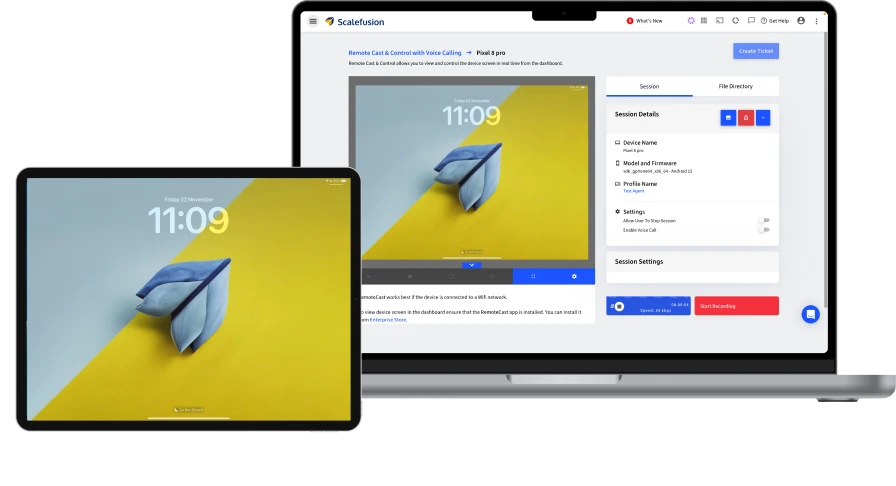
| Unified Endpoint Management (UEM) Solutions | Scalefusion | Managing mixed device fleets with built-in access and security | Broad OS support, kiosk mode, zero-trust access, conditional access | App deployment and reporting customization can be limited |
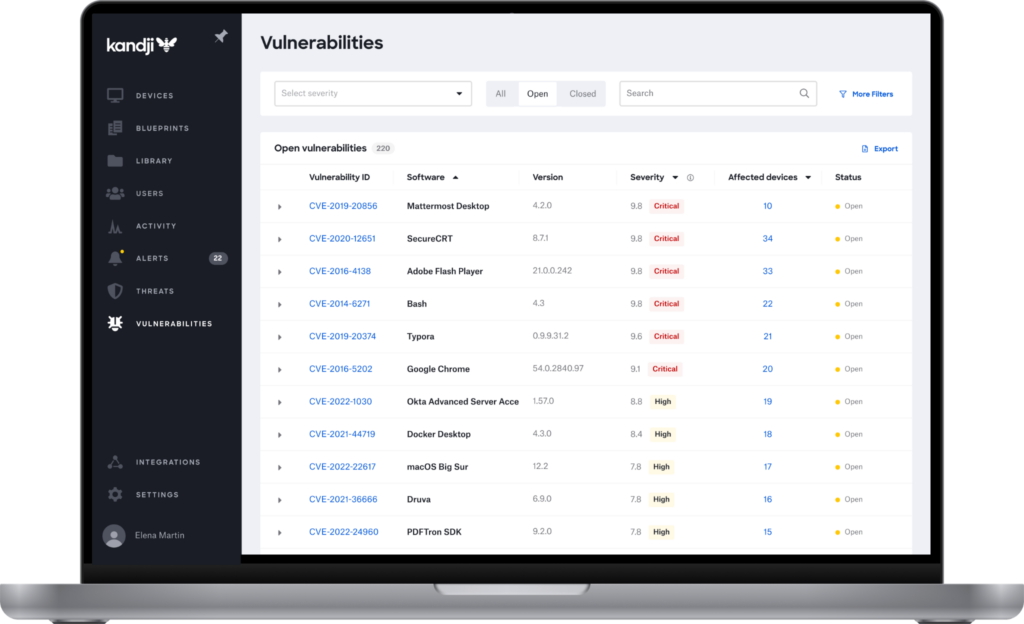
| Unified Endpoint Management (UEM) Solutions | Iru (formerly Kandji) | Automated Apple management extending to Windows and Android | Zero-touch deployment, one agent, auto app patching, EDR | Windows coverage still trails the Apple feature set |
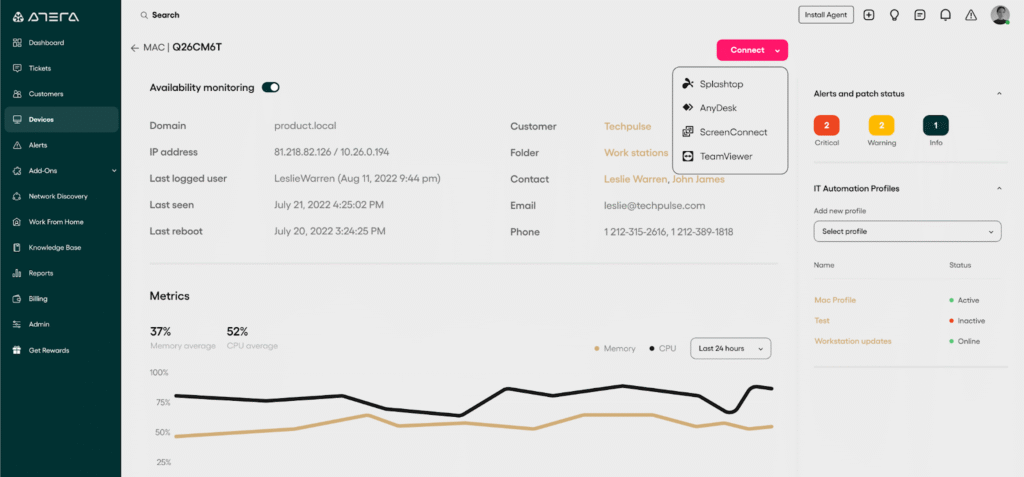
| RMM Platforms for MSPs and IT Teams | Atera | MSPs and IT teams wanting all-in-one RMM with per-technician pricing | RMM, ticketing, patching, and AI in one platform; flat pricing | Advanced reporting and customization are limited |
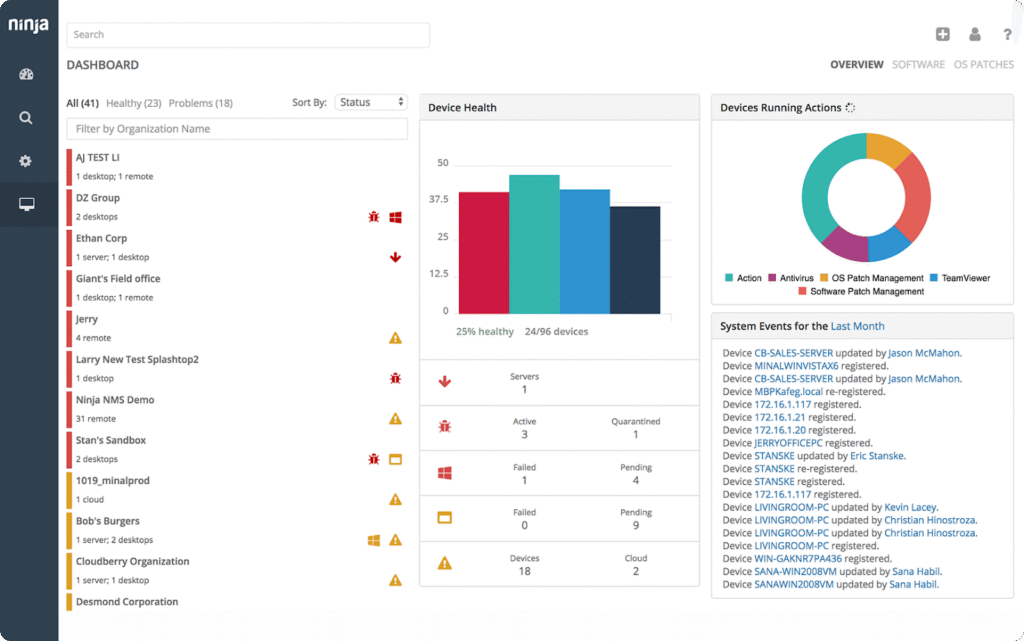
| RMM Platforms for MSPs and IT Teams | NinjaOne | Cloud-native RMM and endpoint management for MSPs and IT teams | Automated patching, remote access, automation, clean interface | Reporting depth, RBAC, and ticketing customization are limited |
| RMM Platforms for MSPs and IT Teams | N-able N-sight | Growing MSPs wanting all-in-one RMM with quick time to value | Monitoring, patching, remote support, ticketing, integrated security | Simpler than N-central; support and alerts can be inconsistent |
| RMM Platforms for MSPs and IT Teams | ConnectWise Automate | MSPs needing deep automation and granular endpoint control | Extensive automation, scripting, patching, remote support | Dated interface, complex setup, primarily Windows-focused |
In this article:
- What is Microsoft Intune?
- Intune Alternatives at a Glance
- Key Microsoft Intune Limitations
- Is Microsoft Intune Suitable for Modern BYOD Environments?
- Secure Remote Work Platforms as a Modern Alternative to Intune
- Microsoft Intune Alternatives: The Top 16 Tools
- Should You Consider BYOD Protection Solutions as a Microsoft Intune Alternative? Key Considerations
- Blue Border: Ultimate Intune Alternative for BYOD
Key Microsoft Intune Limitations
While Microsoft Intune offers robust capabilities for device and application management, there are several limitations that organizations should be aware of before adopting or scaling its use. These limitations were reported by users on the G2 platform.
- Complex user interface: The Intune console can be difficult to navigate for new administrators. Its extensive options and nested settings increase the complexity of setup and daily management.
- Steep learning curve: Understanding the full range of Intune’s features takes time. Without proper training or documentation, administrators may struggle to configure policies correctly, especially in hybrid environments.
- Slow policy and app synchronization: Policies and application deployments do not always sync promptly. This delay can hinder timely updates or troubleshooting, particularly when managing large numbers of devices.
- Limited application deployment flexibility: Deploying applications that are not in the Microsoft Store can be challenging. Customization options for app deployment are also limited in certain scenarios.
- High cost for small to midsize businesses: Licensing costs can be a barrier for smaller organizations. Advanced management features that once needed a separate add-on now ship with the top enterprise plans, but reaching those plans is itself a significant step up in spend.
- Single-user console access limitation: Currently, the console does not support multiple concurrent users, which can limit collaboration or parallel management tasks.
- Device migration challenges: Transferring data between devices during handset replacements can be slow and cumbersome, impacting user experience.
- Lag in system feedback and logs: System logs and deployment feedback often take time to update, delaying issue detection and response.
- Inconsistent integration with SCCM: Software deployment via SCCM integration could be more seamless. Current integration may create inefficiencies for organizations using both platforms.
- Frequent UI and feature changes: Microsoft’s tendency to rebrand or reorganize features forces administrators to constantly relearn parts of the system.
Is Microsoft Intune Suitable for Modern BYOD Environments?
Microsoft Intune offers a broad set of features that support bring-your-own-device (BYOD) policies, but its suitability depends on an organization’s specific needs and constraints. Intune supports both mobile device management (MDM) and mobile application management (MAM), allowing IT administrators to manage devices directly or control access to corporate apps and data without enrolling the entire device. This is useful in BYOD scenarios where users may not want full device oversight by the organization.
However, Intune’s BYOD experience can be limited by user consent and device enrollment friction. Many users are reluctant to enroll personal devices due to privacy concerns, particularly when MDM is required. While MAM with app protection policies can address this by securing only the corporate data inside supported apps, this approach is mainly effective with Microsoft 365 applications. Organizations relying on non-Microsoft apps may find these protections harder to extend.
Additionally, the granularity of controls in BYOD settings can be insufficient for nuanced use cases. For example, enforcing compliance policies without full device management is limited, and certain configurations require device enrollment, reducing flexibility. The lack of consistent cross-platform feature parity also creates challenges in managing iOS and Android devices uniformly. That said, opinions in the IT community remain mixed: Intune is still highly preferred for its deep integration with Microsoft Entra ID (formerly Azure AD) and Windows Autopilot deployments, so Microsoft-native organizations may find it hard to replace.
A newer complication is the arrival of employee-chosen AI tools on personal devices. Staff bring their own assistants, agentic browsers, and chat tools to work, and those applications can read and transmit whatever the user can see. Controlling that on an unenrolled device is difficult with mobile application management alone, because the sensitive data often sits outside the narrow set of applications the policy covers.
Secure Remote Work Platforms as a Modern Alternative to Intune
While Microsoft Intune is effective in managing endpoints and enforcing compliance, newer secure remote work platforms offer an alternative model better suited to modern hybrid and BYOD workforces. These platforms focus on isolating the work environment from the underlying device, allowing secure access to corporate apps and data without requiring full device management.
This model has matured into a recognized product category. Analyst coverage now treats secure enterprise browsers as a distinct market, and adoption tends to start where standardizing a corporate device build is impractical: third-party contractors, merger and acquisition transition teams, and BYOD populations. Many organizations begin by hardening the browsers already installed and reserve a dedicated enterprise browser for higher-risk roles and workflows, keeping virtual desktop infrastructure in reserve for legacy applications.
These solutions typically offer faster onboarding, minimal user resistance, and fewer support challenges compared to full-scale MDM systems. They are particularly attractive for organizations with large contractor or freelance populations, or where employee-owned devices dominate.
The gap between adoption and governance shows up clearly in survey data. Only around two thirds of organizations have formal BYOD security measures in place, more than a quarter do not enforce multi-factor authentication on employee-owned devices, and one in five provide no IT support for personal devices at all. Research also finds that over a fifth of companies have traced malware outbreaks to unmanaged devices, while roughly half cannot say whether they have had such an incident.
For companies seeking a secure, low-friction approach to remote work and BYOD, secure remote work platforms can complement or replace traditional tools like Intune, depending on the desired level of control and integration with existing infrastructure.
Agentic AI Is Changing What Endpoint Management Means
Endpoint management platforms are absorbing AI in two distinct ways, and both matter when comparing Intune with the alternatives. The first is AI that helps administrators run the platform. Security Copilot now sits inside the Intune admin center, where administrators explore fleet data in natural language and act on it without leaving the console, and it is available across administrative roles rather than a limited subset.
The second is autonomous agents that do the work. Intune includes a Vulnerability Remediation Agent that discovers, prioritizes, and remediates software vulnerabilities across a managed fleet without an administrator clicking through each task, a Change Review Agent that assesses the likely impact of a policy change inline in the policy editor, and a Policy Configuration Agent that turns plain-language requirements into deployable configurations. Agent findings are written to the audit log against the agent identity, leaving a reviewable record alongside the change.
The shift that BYOD programs should watch most closely is the third one: AI agents are becoming endpoints in their own right. Local AI agents running on a device can be detected and blocked through endpoint policy, and cloud agents are assigned their own directory-joined, managed cloud PCs. The direction of travel is a single policy, identity, and compliance model covering both human users and the agents acting on their behalf.
For organizations weighing an alternative, that raises a practical question which did not exist a few years ago. Whatever platform governs a personal laptop now has to answer not only which applications hold company data, but which AI tools and agents can read that data, act on it, and send it elsewhere. Secure workspace and enterprise browser products have started building those controls into the data path they already govern.
Microsoft Intune Alternatives: The Top 16 Tools
How we selected these tools: We shortlisted Microsoft Intune alternatives based on their ability to manage, secure, and support endpoints across operating systems, including device and application management, patching, compliance, and BYOD data protection.
Secure Remote Work and BYOD Platforms
1. Blue Border
Best for: Securing company data on unmanaged and BYOD laptops without VDI
Strengths: Local Secure Enclave, DLP controls, no device takeover, fast onboarding
Things to consider: Focused on securing work data, not full device management
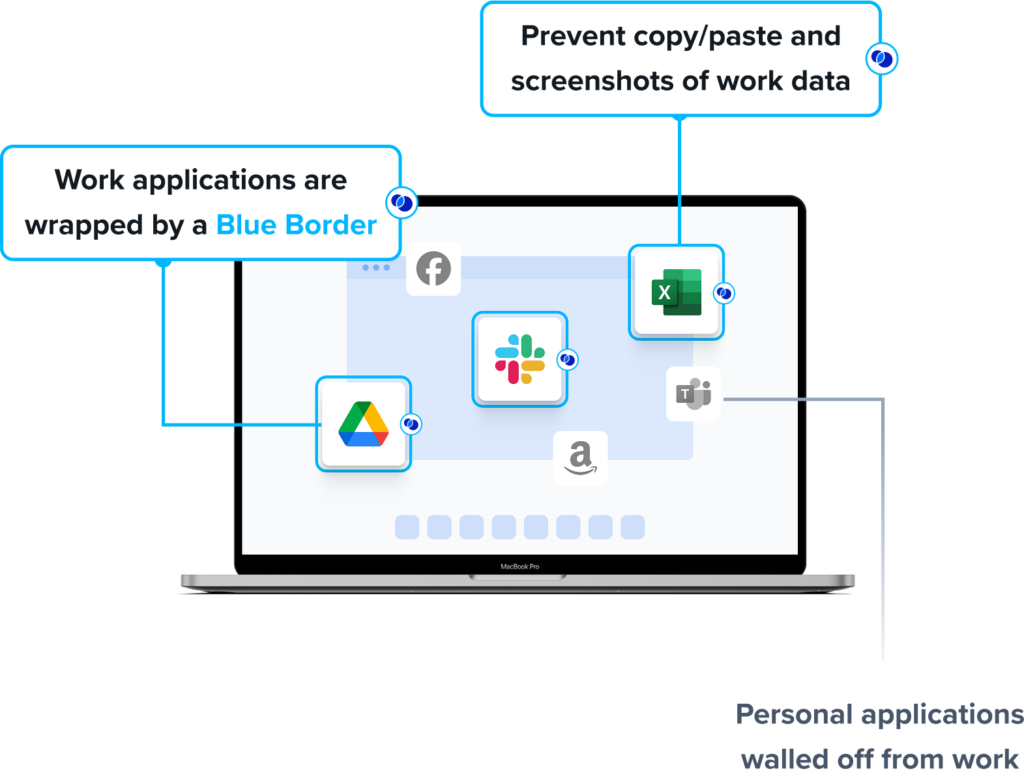
Venn’s Blue Border secures company data, applications, and AI workflows on unmanaged and BYOD computers used by remote employees and contractors, without using virtual desktops. Installing Blue Border on a Mac or PC creates a company-controlled secure enclave directly on that device, where company data is encrypted, access is governed by IT, and activity is isolated from the rest of the computer.
Work applications run locally within the enclave, visually marked by a blue line around each application window. Everything outside Blue Border remains personal, and the company has no visibility into or control over that activity. This lets work and personal use coexist on the same device while keeping the two separated.
Key features include:
- Secure Enclave for work data: Blue Border installs a company-controlled secure enclave on the user’s PC or Mac. All work applications, data, networking, and AI workflows run inside the enclave, where data is encrypted and access is managed by IT, separate from personal use on the same device.
- Data loss prevention controls: IT can define DLP policies for actions such as copy and paste, printing, downloading, screen capture, and screen sharing. The enclave acts like a firewall around work applications, controlling what data can move in and out.
- Local application performance: Work applications run locally on the device rather than from a remote server, so they run at native speed. Blue Border protects installed apps including Chrome, Microsoft Office, Adobe, Slack, Zoom, Teams, VOIP, CAD tools, SAP, and custom business applications.
- AI access governance: IT can define which AI tools are authorized to interact with company applications and data inside the enclave. AI tools outside Blue Border are blocked from accessing protected information, even when running locally on the device, while personal AI use remains available.
- Infrastructure-free administration: Blue Border does not require backend infrastructure, so IT can onboard and offboard remote employees and contractors in a short time. Centralized administration provides visibility into where, when, and from what device a user accessed an application or data.
- User privacy separation: Activity outside the enclave is not tracked or visible to the company. This separation is intended to support BYOD and contractor programs where personal privacy must be preserved alongside corporate control.
Limitations (as reported by users on G2):
- Enclave performance: Some users report the secure enclave can feel slow at times, with occasional reduced speed when working inside protected applications.
- Stability on some devices: A small number of users have reported stability issues on certain laptops that affected day-to-day use.
- Reporting and mobile scope: Some users would like more detailed reporting and broader mobile accessibility.
2. JumpCloud

Best for: Unifying identity, access, and cross-OS device management from the cloud
Strengths: Open directory, SSO, MFA, cross-OS device management, conditional access
Things to consider: Initial setup and policy configuration can take time to learn
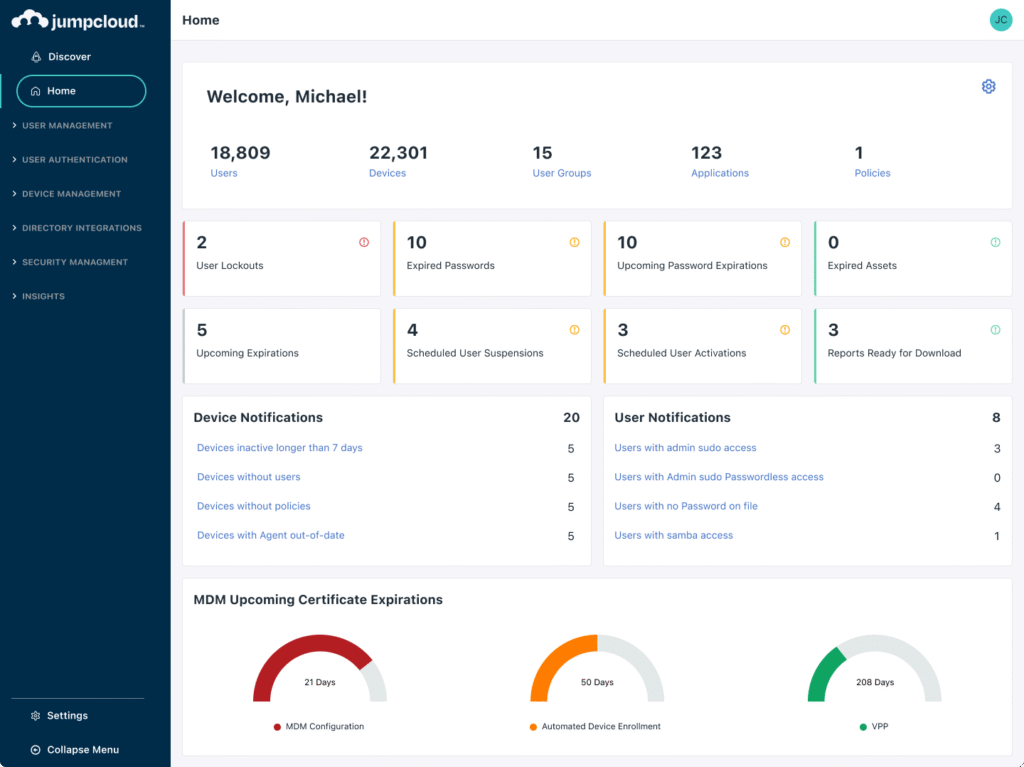
JumpCloud is a cloud directory platform that combines identity, access, and device management in a single console. Its open directory and cross-OS device management let IT teams centrally manage Windows, macOS, and Linux machines from any location under a common set of policies.
Device management is delivered through a lightweight agent installed on each machine, and is available with JumpCloud’s Platform and Platform Plus packages that also include identity and access management capabilities.
Key features include:
- Cross-OS device management: JumpCloud manages Windows, macOS, and Linux endpoints and servers to configure, secure, and support them. An agent is installed on each managed device and reports back to the admin portal, where admins can apply policies and run commands.
- Open directory platform: The platform provides a cloud directory that centralizes user identities and authenticates them across systems, supporting environments that mix operating systems without vendor lock-in or on-premises directory hardware.
- Single sign-on and MFA: JumpCloud provides single sign-on to applications and multi-factor authentication, so users access resources with one set of credentials while IT enforces stronger authentication.
- Apple MDM and mobile management: The platform supports Apple MDM enrollment for Mac management and manages Windows, Apple, and Android devices, including mobile device management at scale.
- Policies and remote actions: Admins can group devices and apply policies such as password rules, full-disk encryption, and MFA at the group level. Remote actions include locking, restarting, and shutting down devices, running commands, and accessing recovery keys.
- Patch and software management: JumpCloud includes patch management and software management, letting admins remotely deploy, update, and remove applications across managed devices.
Limitations (as reported by users on G2):
- Setup learning curve: Users report that initial setup and configuring device management policies can be complex, particularly for teams migrating from traditional systems.
- Policy granularity: Some users find policy controls can be all-or-nothing, making it hard to apply a restriction to a single user without affecting other accounts on the same machine.
- Bulk operations: Some users note that bulk actions such as importing accounts still require additional manual steps or scripting.
Source: JumpCloud
3. Jamf Pro

Best for: Managing and securing Apple devices with same-day OS support
Strengths: Zero-touch deployment, declarative management, Apple-native controls
Things to consider: Apple-only focus with a learning curve for new administrators
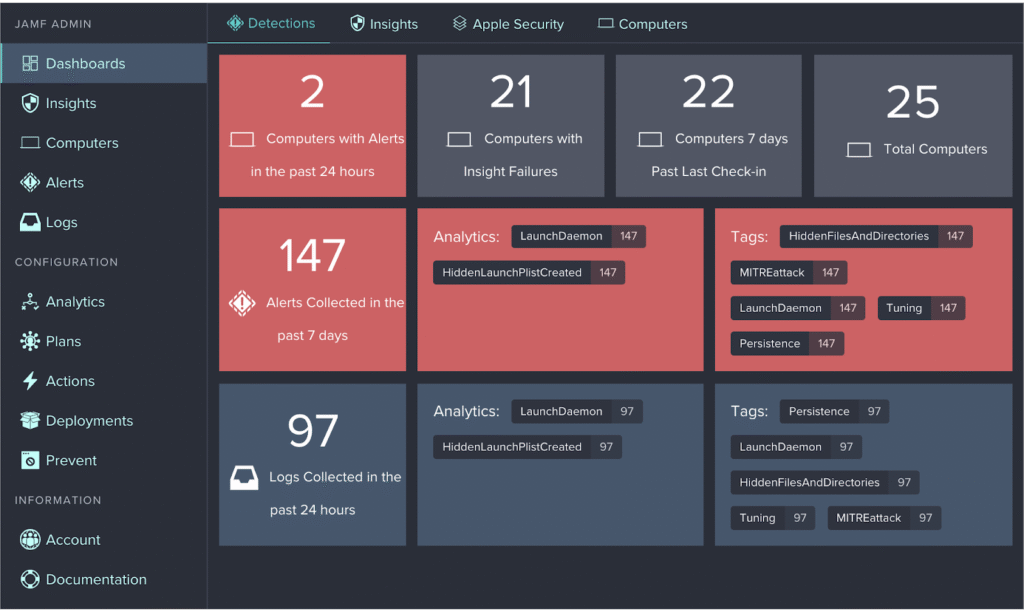
Jamf Pro is an Apple device management platform for managing and securing Mac, iPhone, iPad, and Apple TV from a single console. It uses Apple’s native management framework to configure devices, deploy apps, and enforce security without requiring user interaction.
Jamf works alongside existing technology, with integrations for Microsoft Entra, Google Workspace, and Okta, and is oriented toward organizations that run Apple devices at scale.
Key features include:
- Zero-touch deployment: Jamf Pro provisions Mac, iPhone, iPad, and Apple TV with hands-free zero-touch deployment, including BYOD scenarios, so devices are configured automatically when a user first powers them on.
- Declarative device management: Blueprints let admins manage device settings, commands, app installations, and restrictions across Apple devices using Apple’s Declarative Device Management approach.
- Smart Groups and inventory: Admins create dynamic device and user groups and automatically collect hardware, software, and security configuration details from each Apple device for inventory and reporting.
- App lifecycle and Self Service: App lifecycle management deploys and updates apps, and the Self Service catalog lets users install approved apps, run updates, and maintain their own devices.
- Compliance and security commands: Compliance benchmarks apply device security baselines based on industry standards, and remote security commands manage settings, restrict software, and patch devices without user interaction.
- Ecosystem integrations: Jamf integrates with Microsoft (Entra, Sentinel), Google Workspace, and Okta for identity and security workflows, and offers a marketplace of additional integrations.
Limitations (as reported by users on G2):
- Apple-only coverage: Users note the platform is focused on Apple devices, with limited management of Windows, Android, or non-Apple systems.
- Learning curve: Several users describe a steep learning curve and a dated interface, often requiring training to use the platform fully.
- Cost and patching: Some users find the cost high for smaller deployments and would like more capable third-party patch management.
Source: JAMF Pro
4. Island Enterprise Browser

Best for: Governing SaaS and web app access from the browser on any device
Strengths: Last-mile DLP, conditional access, device posture checks, ZTNA
Things to consider: Requires switching browsers; narrower extension support
Island is a Chromium-based enterprise browser that places access control, data protection, and monitoring inside the browser itself rather than in a separate endpoint agent. Conditional access controls assess identity, device, network, location, and application before granting access, and the same controls apply on machines the organization manages and on machines it does not.
The browser runs on Windows, macOS, Linux, Chromebooks, and IGEL OS, with mobile apps for iOS, iPadOS, and Android. Organizations that do not want users to change browsers can instead deploy the Island extension on Chrome, Edge, Safari, Firefox, and other Chromium-based browsers, which covers most of the full browser’s capabilities.
Key features include:
- Conditional application access: Island sets conditional access controls that evaluate identity, device, network, location, and application from within the browser. The controls are applied universally, so users reach data and resources from any device under the same policy. This removes the need for a separate access agent on machines IT does not enroll.
- Last-mile data controls: Context-based policies let data move between approved enterprise applications while blocking leakage paths. Last-mile controls govern printing, downloads, uploads, screenshots, and copy and paste, including actions taken outside the browser. Policies can be scoped per user role and risk profile.
- Zero trust network access: Island delivers zero trust network access to private applications from the browser itself. It protects against network and endpoint attacks without requiring a separate ZTNA agent to be deployed and maintained. Access is granted per application rather than to the network.
- Device posture and out-of-browser management: The browser assesses device posture automatically to confirm devices meet policy requirements. Management extends to applications outside the browser, with policy controls for tools such as Zoom, Slack, Teams, and WhatsApp. That gives IT a measure of control on devices it has not enrolled.
- Work and personal separation with activity visibility: Island records work activity in high fidelity while leaving personal browsing private, and a privacy indicator tells users when a session is monitored. Activity analytics can be forwarded to a SIEM for organization-wide visibility. For privileged applications, the browser captures full session detail including user, device, and specific actions.
- Web application automation: Island modifies or extends web applications through automations that need no source code changes and no vendor APIs. Teams use this to enforce workflow steps, reduce input errors, and adapt SaaS applications to internal processes. Island DEX also collects analytics on application usage, performance, network, and device health.
Limitations (as reported by users on G2)
- Extension and interface parity: Users report that the browser supports fewer extensions than Chrome or Edge, and some find the interface less refined than the browsers they moved from.
- Performance and compatibility: Some users describe noticeable lag, slow tab switching, and occasional compatibility problems that affect responsiveness during daily work.
- Policy conflict handling: Users note that rule priority follows the order policies are listed in, which makes near-identical conflicting policies difficult to manage.
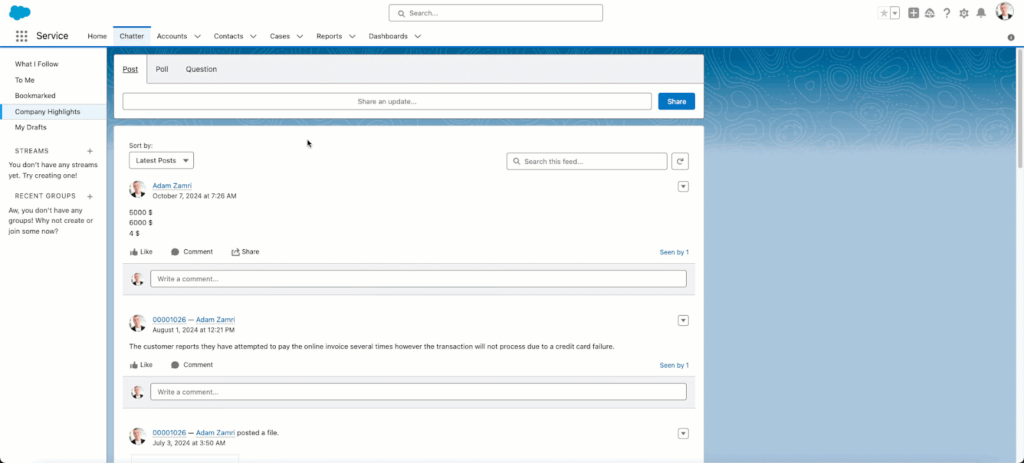
Source: Island

5. Prisma Browser

Best for: Securing work in the browser on managed and unmanaged devices
Strengths: Native DLP, threat prevention, AI and agent governance, no VDI
Things to consider: Setup depth and cost favor existing Palo Alto estates
Prisma Browser, formerly Prisma Access Browser, is the Palo Alto Networks enterprise browser, integrated with the company’s security engines and its SASE platform. It provides a single workspace for web, SaaS, GenAI, and private applications, including applications that use SSL certificate pinning. Corporate work is isolated from the underlying endpoint, so policy applies the same way whether the device is company-managed or personal.
It ships in three forms: a standalone Chromium-based browser for desktops, an extension that adds visibility and control to existing consumer browsers, and a mobile application. Palo Alto Networks does not recommend the extension for unmanaged devices, where the full browser provides isolation that is harder to bypass.
Key features include:
- Enterprise DLP with last-mile controls: The browser applies native data loss prevention with more than 1,000 data classifiers and over 22 compliance profiles covering frameworks such as HIPAA and GDPR. Last-mile controls block operating system level actions including screenshots, printing, and unauthorized file saving. Directional policies stop transfers from sanctioned corporate applications into personal accounts.
- Unmanaged device isolation: Prisma Browser isolates enterprise applications from untrusted endpoints so work can proceed on personal and contractor machines. It deploys through a simple email link and does not require administrator privileges on the device. Trust is verified continuously through the session rather than only at sign-in.
- Threat prevention inside the browser: Real-time scanning of all webpage components targets AI-powered phishing and evasive threats, and sandboxing neutralizes web-borne threats and malicious file downloads before they reach the operating system. The browser secures traffic including encrypted channels without traditional decryption, closing visibility gaps in applications that stay encrypted for privacy or compliance reasons.
- Extension and shadow AI discovery: The platform discovers all browser extensions in use, monitors them for threats, and blocks risky or over-permissioned ones. It also surfaces GenAI applications, unmanaged SaaS, and non-SSO accounts across the organization. Sensitive data in GenAI prompts can be redacted automatically before it leaves the environment.
- Zero trust access and step-up controls: Dynamic policies evaluate user risk score, location, application context, and content sensitivity to authorize individual actions rather than whole sessions. Step-up authentication and just-in-time approvals apply to higher-risk activities such as printing or exporting data. Coverage spans SaaS, GenAI, and private applications from one workspace.
- Session forensics for security operations: The browser collects deep insights and audit trails across web actions, giving security teams a record for incident investigation and insider risk review. Real user monitoring reports how users interact with applications in real time. Administration runs through a single console and policy engine shared with the wider Palo Alto Networks stack.
Limitations (as reported by users on G2):
- Performance under inspection: Users report the browser can feel slow because of continuous inspection, isolation, and policy enforcement, particularly under heavy load.
- Configuration complexity: Several users describe initial policy setup as complex and say it assumes familiarity with the wider Palo Alto Networks ecosystem, with documentation gaps for advanced cases.
- Cost and restriction friction: Users note that support, maintenance, and additional licences raise total cost, and that strict controls on copy, paste, and downloads can interrupt normal workflows.
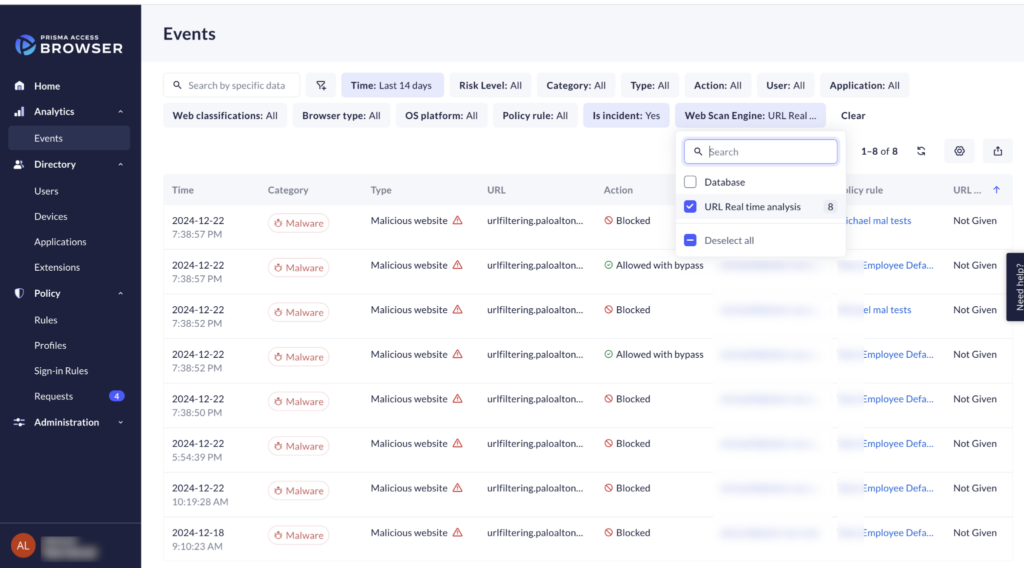
Source: Palo Alto Networks

Unified Endpoint Management (UEM) Solutions
6. Hexnode UEM

Best for: Cross-platform endpoint management including kiosk and rugged devices
Strengths: Broad OS coverage, kiosk lockdown, patch management, automation
Things to consider: Reporting depth and desktop features trail some larger platforms
Hexnode UEM is a cloud-based unified endpoint management platform that enrolls, secures, configures, monitors, and manages devices from a central console. It supports Windows, macOS, Android, iOS, tvOS, FireOS, ChromeOS, Linux, and visionOS.
The platform combines enrollment, policy configuration, app distribution, content management, security enforcement, remote management, and location controls, and supports BYOD, corporate-owned, and platform-specific management models.
Key features include:
- Cross-platform enrollment: Hexnode supports over-the-air onboarding through no-touch, low-touch, and user-assisted enrollment, including Apple Business Manager, Android Zero-touch, Samsung Knox Mobile Enrollment, and QR code or email enrollment.
- Kiosk lockdown: The kiosk solution locks Android, iOS, Windows, and Apple TV devices into single-app, multi-app, or web kiosk modes for purpose-specific use cases such as points of sale and digital signage.
- Patch and OS management: Admins can define OS and patch management rules so devices stay updated to the latest versions, with patching across supported platforms.
- Security and compliance: Hexnode enforces device encryption, data loss prevention, and zero-trust rules, restricting usage to compliant standards and enabling secure access to apps and content.
- App and content management: Admins can set up an app store, push mandatory apps including custom enterprise apps, and distribute and manage content across the device fleet.
- Automation and remote actions: No-code automation gathers actions, policies, and updates for scheduled execution, and remote actions include remote control, scripting, geofencing, and location tracking.
Limitations (as reported by users on G2):
- Reporting depth: Users note built-in reports lack the customization and depth found in some larger UEM platforms.
- Desktop vs mobile parity: Some users find macOS and Windows management less developed than mobile management, which appears to be the main focus.
- Advanced automation: Users report that more advanced or conditional automation across platforms is less robust than higher-end tools offer, and some features are gated to higher-priced plans.
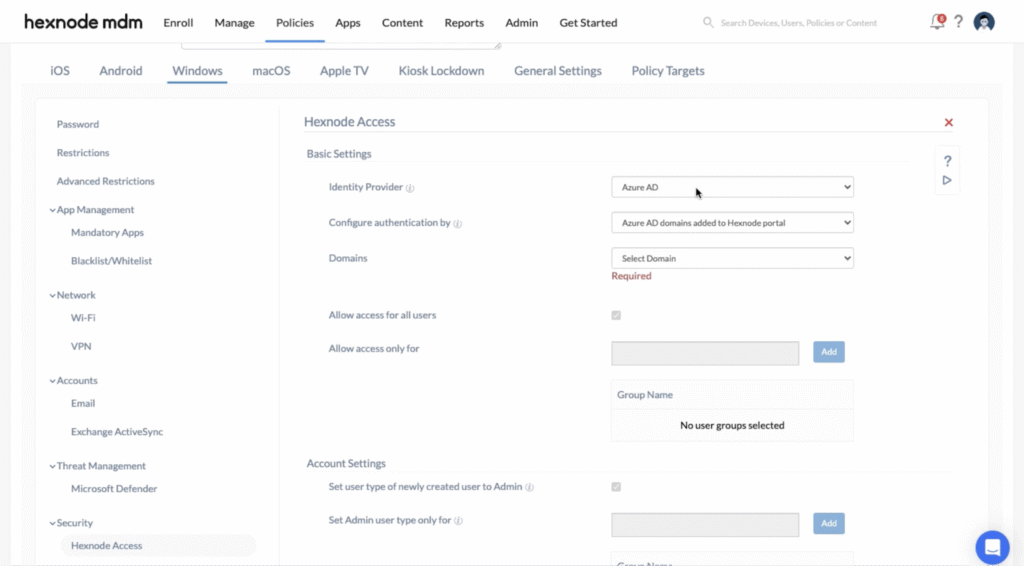
Source: Hexnode UEM
7. Ivanti Neurons for UEM

Best for: Unifying IT and security operations with AI-driven automation
Strengths: Real-time discovery, lifecycle management, self-healing automation
Things to consider: Initial setup can be complex and support quality varies
Ivanti Neurons for UEM is a cloud-based unified endpoint management platform that provides visibility across mobile, desktop, and IoT endpoints. It is built on the Ivanti Neurons platform and combines discovery, management, and security with automation.
The platform delivers end-to-end lifecycle management across iOS, Android, macOS, Windows, ChromeOS, Linux, and IoT devices, from onboarding and provisioning through security and retirement.
Key features include:
- Real-time discovery and visibility: The platform maintains a continuously updated view of the endpoint environment, providing real-time discovery and inventory to establish a foundation for endpoint management.
- End-to-end lifecycle management: Ivanti Neurons manages the full device lifecycle across major operating systems and IoT devices, including onboarding, over-the-air provisioning, security, and secure retirement.
- Self-healing automation: AI-powered automation and a library of bots diagnose and remediate issues, automating routine troubleshooting so IT can resolve problems without interrupting the end user.
- Natural language querying: Admins can query all edge devices using natural language processing to get real-time operational awareness, inventory, and security configuration data.
- Data security controls: The platform combines passwordless identity that pairs user with device, gateway-level conditional access, and per-app VPN to protect data across the ecosystem.
- Provisioning and onboarding: Devices can be onboarded and provisioned over the air with the required apps, settings, and security configurations applied automatically.
Limitations (as reported by users on PeerSpot):
- Setup complexity: Users report that initial setup and making the platform fit an existing environment can be complex.
- Windows policy speed: Some users note that pushing policies to Windows devices can be slow.
- Release quality: Users report that new version releases sometimes introduce basic issues, and some integrations are not fully in sync.
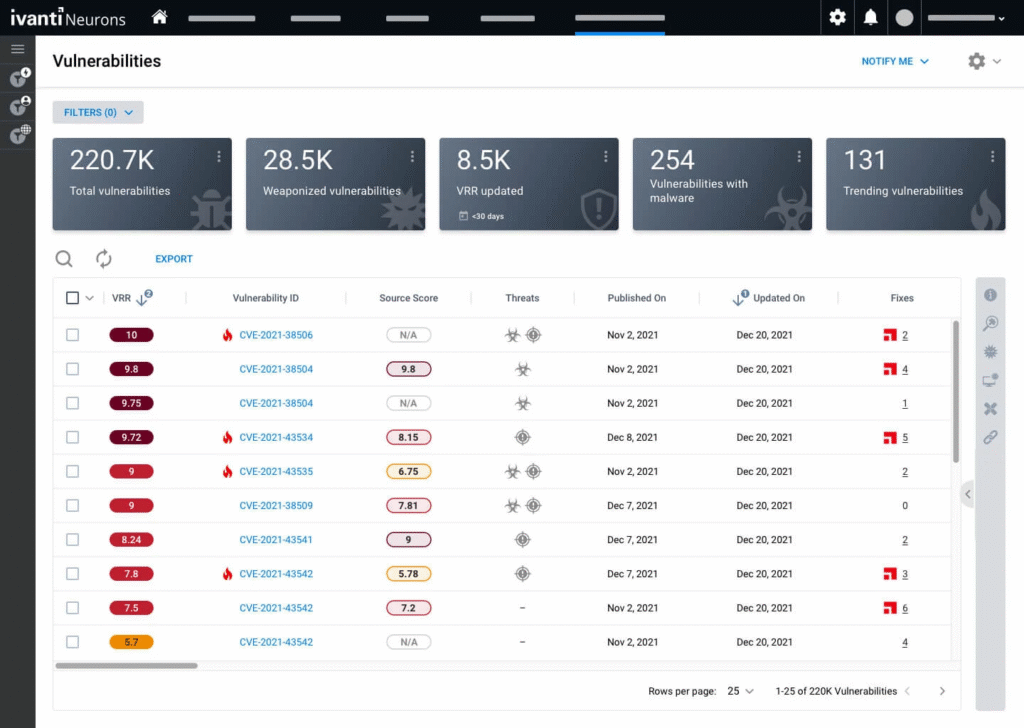
Source: Ivanti Neurons
8. IBM MaaS360

Best for: AI-driven UEM with built-in threat management across device types
Strengths: Multi-OS management, containerization, Watson AI analytics
Things to consider: Interface feels dated and support response can be slow
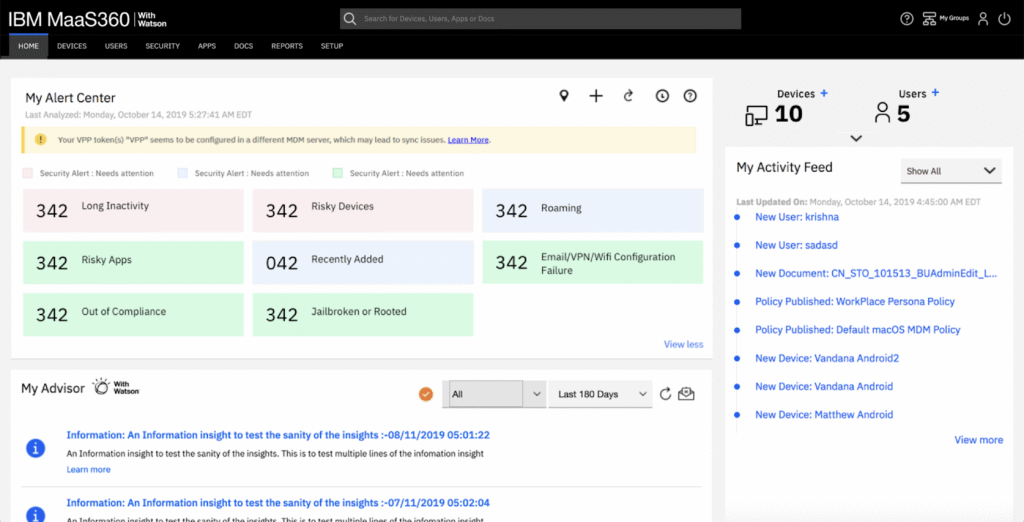
IBM MaaS360 is a cloud-based unified endpoint management platform that manages and secures phones, tablets, laptops, and other endpoints from a single console. It provides multi-OS device management with built-in threat detection and automated compliance.
The platform combines mobile device management, endpoint management, and native security with Watson AI analytics, and offers a Fast Start option with preconfigured policies for smaller businesses.
Key features include:
- Unified endpoint management: MaaS360 manages mobile devices and laptops across operating systems from one console, supporting the hybrid and frontline workforce with device onboarding, security, and compliance.
- Mobile threat defense: Built-in mobile threat defense protects users, devices, apps, and data against threats such as malware, man-in-the-middle, and phishing attacks with automated protection.
- Containerization: Higher tiers add email and app containerization that separates personal and business data, along with a secure mobile mail and enterprise browser.
- Watson AI analytics: MaaS360 uses built-in Watson AI to surface insights for endpoint security and management decisions and to identify mobile threats.
- Patch and app management: The platform includes granular patch management, application management, and application patching to keep devices and software current.
- Content and identity management: MaaS360 includes content management, identity management, and mobile expense management to track usage and control access to corporate resources.
Limitations (as reported by users on G2):
- Dated interface: Users describe the interface as feeling outdated in places, with some settings buried and reporting tools that could be more flexible.
- Support responsiveness: Some users report slow support responses and documentation that could be more detailed.
- Deployment delays: A few users note delays in app distribution and enrollment, and that some policy changes can be slow to apply.
Source: IBM MaaS360
9. ManageEngine Endpoint Central
Best for: All-in-one endpoint management and security with strong patching
Strengths: Automated multi-OS patching, remote troubleshooting, asset management
Things to consider: Feature-rich interface can feel cluttered with a learning curve
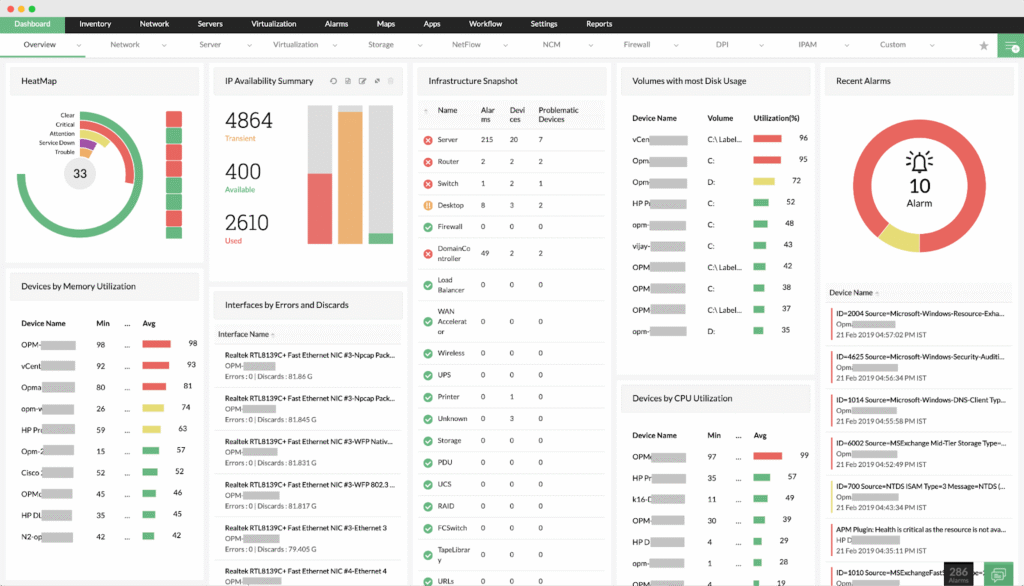
ManageEngine Endpoint Central is a unified endpoint management and security platform that combines device management, patching, asset management, and security in a single console. It manages laptops, desktops, servers, and mobile devices across Windows, macOS, Linux, iOS, Android, and ChromeOS.
The platform brings device, app, and security management together so IT teams can secure the digital workplace and manage a distributed workforce from one place.
Key features include:
- Automated patch management: Endpoint Central automates patch deployment for Windows, macOS, Linux, and a broad catalog of third-party applications, helping keep systems current.
- Remote troubleshooting: Integrated remote control lets technicians connect to end-user systems to resolve issues in real time, with session auditing available in higher editions.
- Asset and software management: The platform manages hardware and software assets with license and warranty tracking, monitors software usage, and flags hardware changes.
- Endpoint security controls: Security capabilities include vulnerability management, endpoint privilege management, application control, device control, browser security, and data loss prevention.
- Mobile device management: Built-in MDM centralizes device, app, email, and content management for mobile endpoints, including BYOD and kiosk configurations.
- OS imaging and deployment: Endpoint Central automates OS image creation and deployment along with required drivers and applications, and manages configurations to maintain security baselines.
Limitations (as reported by users on G2):
- Cluttered interface: Because the platform is feature-rich, users find the interface can feel cluttered and overwhelming, with a learning curve for new technicians.
- Remote and patch reliability: Some users report intermittent remote-session connection issues and occasional patch deployment or misconfiguration problems.
- Reporting customization: Users note that out-of-the-box reports could be more customizable and audit-ready without manual rework.
Source: ManageEngine
10. Omnissa Workspace ONE UEM

Best for: Cloud-native UEM across desktop, mobile, rugged, and specialty devices
Strengths: Multi-OS management, conditional access, automation, per-app VPN
Things to consider: Complex to configure with support changes since the Omnissa transition
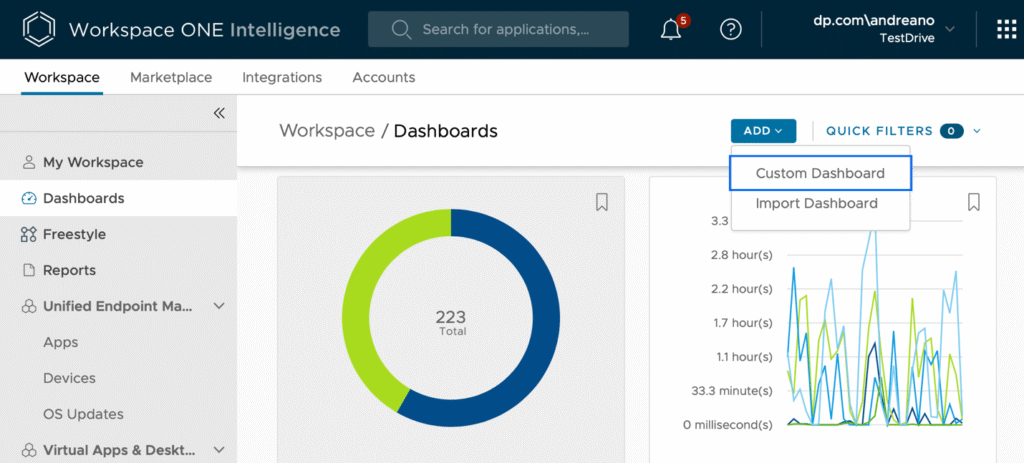
Omnissa Workspace ONE UEM is a cloud-native unified endpoint management platform that manages desktops, mobile, rugged, servers, and specialty devices across Windows, macOS, iOS, Android, Linux, and ChromeOS from a single console. Workspace ONE is now part of Omnissa, the former VMware End-User Computing business.
The platform centralizes device management with automation, application lifecycle management, and policy controls, and integrates with other Omnissa products and a broad partner ecosystem.
Key features include:
- Multi-OS endpoint management: Workspace ONE UEM manages the full device lifecycle across every major operating system from one console, including deployment, configuration, security, and updates.
- IT orchestration and automation: Freestyle Orchestrator automates onboarding, app deployment, and remediation tasks with low-code and no-code workflows to reduce repetitive work and enforce consistent policy.
- Application lifecycle management: The Intelligent Hub provides a unified self-service app catalog with single sign-on, delivering app lifecycle management across device types including Office 365.
- Conditional access and compliance: Conditional access and compliance policies use device state, user role, and risk signals to block noncompliant endpoints and trigger remediation.
- Per-app VPN: Workspace ONE Tunnel provides per-app VPN connectivity so only approved apps reach internal systems and data in transit is encrypted.
- Multi-tenant architecture: A multi-tenant structure with role-based access control lets organizations localize policy and access across business units or geographies and delegate administration at scale.
Limitations (as reported by users on G2):
- Interface complexity: Users describe the interface as complex and sometimes confusing to navigate, with a learning curve for new administrators.
- Support and roadmap concerns: Some users report weaker support and uncertainty about product direction following the Broadcom and Omnissa transition.
- Cost and licensing: Users note that licensing and pricing can be high and complex, with add-on products needed to unlock full functionality.
Source: Workspace ONE
11. Scalefusion

Best for: Managing mixed device fleets with built-in access and security
Strengths: Broad OS support, kiosk mode, zero-trust access, conditional access
Things to consider: App deployment and reporting customization can be limited
Scalefusion is a cloud-based unified endpoint management platform that manages and secures company-owned and BYO devices across Windows, macOS, iOS, Android, Linux, and ChromeOS from a single dashboard. It combines endpoint management, zero-trust access, and endpoint security on one platform and agent.
The platform handles device provisioning, policy enforcement, and compliance, and supports use cases including kiosk configurations, remote troubleshooting, OS and patch management, and app deployment.
Key features include:
- Cross-platform device management: Scalefusion manages Android, iOS, macOS, Windows, Linux, and ChromeOS devices from one dashboard, pushing policies, apps, and restrictions to endpoints at scale.
- Zero-touch enrollment: The platform offers zero-touch enrollment methods including Windows Autopilot, Android Zero-touch, and Apple Business Manager to onboard devices at scale.
- Kiosk mode: Kiosk software locks devices to a single application or a defined set of apps and websites, supporting dedicated devices such as POS systems and digital signage.
- Zero-trust access: Scalefusion OneIdP provides conditional access, single sign-on, and endpoint authentication tied to UEM compliance signals, restricting access to trusted, compliant devices.
- Endpoint security and DLP: Scalefusion includes a secure web gateway, web content filtering, automated compliance, business VPN, and endpoint data loss prevention.
- OS and patch management: The platform manages OS updates and third-party app patching, and includes remote control for troubleshooting devices in the field.
Limitations (as reported by users on G2):
- App deployment consistency: Users report that app deployments can be slow or inconsistent across devices, with limited error feedback when installs fail.
- Customization limits: Some users find advanced automation and customization options, including reporting, somewhat restricted.
- Setup and older devices: Users note the initial setup can be difficult and performance can be inconsistent on older devices.
Source: Scalefusion
12. Iru (formerly Kandji)

Best for: Automated Apple management extending to Windows and Android
Strengths: Zero-touch deployment, one agent, auto app patching, EDR
Things to consider: Windows coverage still trails the Apple feature set
Iru, formerly Kandji, is a cloud endpoint management and security platform that began as an Apple device management product and now covers Apple, Windows, and Android from one console. Devices enroll from a single portal and immediately receive their assigned apps, settings, and security controls. A single lightweight agent manages Mac and Windows devices, installs at enrollment, and updates itself.
Alongside endpoint management, the platform includes endpoint detection and response, vulnerability management with autonomous patching, workforce identity using device-bound passkeys, and compliance automation. Iru AI connects these areas through the Iru Context Model, which maps users, apps, and devices in order to apply policy in context.
Key features include:
- Zero-touch deployment and onboarding: Iru sets up and configures Apple devices for new employees remotely, without IT physically handling the hardware. A guided Mac onboarding experience shows apps installing and settings applying on a newly unboxed machine. Enrollment applies the correct configuration set from first boot.
- Assignment maps and configuration at scale: Configurations are designed on a visual map with conditional logic, which surfaces conflicts before deployment. Hundreds of automated security controls and profiles cover settings such as FileVault and Wi-Fi. Security templates bring Mac computers to CIS Level 1 or Level 2 benchmarks using pre-configured control sets.
- Automated app patching: Auto Apps keeps hundreds of applications patched on Mac and Windows from a curated app library. Iru schedules quiet updates, prompts users proactively, and enforces installation when needed. Applications can also be distributed as in-house packages, custom apps, or through the Apple App Store and Google Play.
- OS update automation and app blocking: Managed OS automates operating system updates across Apple devices with configurable enforcement timeframes. App blocking prevents unapproved or unsafe applications from running across endpoints. Custom scripts cover requirements that native device management controls do not reach.
- Detection, response, and vulnerability management: Iru EDR prevents, detects, and contains attacks in real time through the same single agent, using real-time behavioral analysis. Vulnerability management reports exposure to vulnerable software across Mac and Windows and applies autonomous remediation. Neither capability requires a second agent on the endpoint.
- Self service and MCP integration: A self-service portal lets users install approved apps, run scripts, and reach internal resources, and it can be matched to the organization’s branding. An MCP server connects the device fleet to AI build environments so endpoint workflows run alongside other tools in the stack. Compliance automation collects audit evidence continuously against mapped controls.
Limitations (as reported by users on G2):
- Windows and Android depth: Users consistently report that Windows and Android management trails macOS, with fewer prebuilt library items, policy controls, and patching options.
- Reporting and grouping: Users note limited reporting depth and filtering, and the absence of the dynamic smart-group style segmentation offered by competing Apple platforms.
- Licensing tiers and rebrand friction: Some users find device-bucket licensing with minimum counts inflexible for small fleets, and report that documentation and scripts still carry the former product name.
Source: Iru
.png?width=2740&name=VM-Screen-on-Mac%20(1).png)
RMM Platforms for MSPs and IT Teams
13. Atera

Best for: MSPs and IT teams wanting all-in-one RMM with per-technician pricing
Strengths: RMM, ticketing, patching, and AI in one platform; flat pricing
Things to consider: Advanced reporting and customization are limited
Atera is a cloud-based IT management platform that combines remote monitoring and management, helpdesk and ticketing, patch management, network discovery, and automation in one place. It is built for IT departments and managed service providers and uses per-technician pricing with unlimited devices.
Atera relies on an agent installed on each monitored device to gather performance and health data, and adds AI agents intended to automate routine tasks and troubleshooting.
Key features include:
- Remote monitoring and management: Atera monitors devices in real time and provides remote access using integrated tools such as AnyDesk, Splashtop, TeamViewer, and ScreenConnect to troubleshoot and maintain endpoints.
- Patch management: Automated patch management deploys Windows, macOS, Linux, and third-party software updates, with the ability to prioritize, sort, and schedule updates.
- Network discovery: The Network Discovery tool scans networks to identify connected devices, including computers, servers, printers, and other SNMP-enabled devices, for asset tracking.
- Ticketing and helpdesk: An integrated, AI-assisted ticketing and service desk provides automated workflows, ticket routing, and communication to handle support requests.
- IT automation and scripting: Automation profiles and scripting handle repetitive maintenance tasks, and threshold-based alerts trigger actions when performance metrics exceed set limits.
- AI agents: Atera includes AI Copilot to assist technicians with diagnostics and scripting, and Robin, an autonomous agent that handles routine end-user requests across chat and other channels.
Limitations (as reported by users on G2):
- Reporting customization: Users report that reporting and analytics customization is limited, with advanced reports sometimes behind a higher tier.
- Advanced feature depth: Some users find certain advanced features less mature than larger enterprise RMM platforms, and larger teams can outgrow customization options.
- Performance at scale: A few users note the interface can feel slow when managing large numbers of devices and that asset scanning is not always precise.
Source; Atera RMM
14. NinjaOne

Best for: Cloud-native RMM and endpoint management for MSPs and IT teams
Strengths: Automated patching, remote access, automation, clean interface
Things to consider: Reporting depth, RBAC, and ticketing customization are limited
NinjaOne is a cloud-native remote monitoring and management platform for MSPs and internal IT teams that monitors, patches, and manages endpoints from one console. It manages Windows, macOS, and Linux devices along with cloud-based systems.
The platform combines monitoring, patching, remote access, automation, and endpoint management, and is delivered as cloud-based software without on-premises infrastructure to provision.
Key features include:
- Monitoring and alerting: NinjaOne monitors devices in real time and notifies technicians automatically when an issue arises so they can remediate faster and reduce end-user impact.
- Automated patching: The platform automatically patches Windows, macOS, and Linux operating systems and auto-updates a large catalog of third-party applications.
- Secure remote access: Technicians can take direct control of managed endpoints using one of several remote access options, plus one-click device actions and background tools that avoid interrupting users.
- Endpoint task automation: Repetitive endpoint tasks such as app installs, patching, device setup, and maintenance can be automated, along with condition-based auto-remediation of common issues.
- IT asset management: NinjaOne provides device inventory with real-time health and performance data, warranty tracking, and native IT documentation for credentials and device relationships.
- Mobile and self-service: A mobile app lets technicians manage endpoints on the go, and a self-service portal gives end users remote access, file restores, and ticket management.
Limitations (as reported by users on G2):
- Reporting depth: Users report that built-in reports lack depth and are not always executive-ready, often requiring the API or external tools for detailed reporting.
- Role-based access control: Some users find the role-based access control model lacks granularity and that permissions can be hard to interpret.
- Ticketing and mobile gaps: Users note the ticketing system feels limited compared with dedicated helpdesk tools and that the mobile app and scripting have gaps.
Source: NinjaOne
15. N-able N-sight

Best for: Growing MSPs wanting all-in-one RMM with quick time to value
Strengths: Monitoring, patching, remote support, ticketing, integrated security
Things to consider: Simpler than N-central; support and alerts can be inconsistent
N-able N-sight is a unified endpoint management platform with built-in remote monitoring and management, aimed at growing MSPs and IT teams that want monitoring, patching, remote access, automation, and ticketing in one package. It manages Windows, macOS, iOS, and Linux endpoints.
N-sight is the more streamlined of N-able’s two RMM products, positioned for faster adoption, while N-central covers more complex, large-scale environments.
Key features include:
- Complete remote management: N-sight provides monitoring, alerting, and patch management for Windows, macOS, iOS, and Linux from a single screen that shows status and alerts for all endpoints.
- Patch and vulnerability management: The platform includes automated patching and built-in vulnerability management to reduce risk and keep devices secure across the environment.
- Secure remote access: N-sight offers attended and unattended remote support, drag-and-drop file transfer, and live chat for troubleshooting devices.
- Automation at scale: Automation can be built and deployed visually using a large library of preconfigured scripts, with policy-driven device assignment.
- Integrated ticketing and billing: Built-in ticketing and billing provide automatic scheduling and tracking, a brandable customer portal, and a mobile app for technicians.
- Layered security: N-sight adds security through integrated EDR, backup, password management, web protection, and shadow AI detection that surfaces which AI tools are running.
Limitations (as reported by users on G2):
- Alert noise: Users report N-able can generate a high volume of alerts that require manual validation by technicians.
- Deployment delays: Some users note that scripts and patches can take time to deploy and that it can be hard to confirm the success of actions.
- Support consistency: Users report that day-to-day helpdesk support has been inconsistent, though it has improved over time.
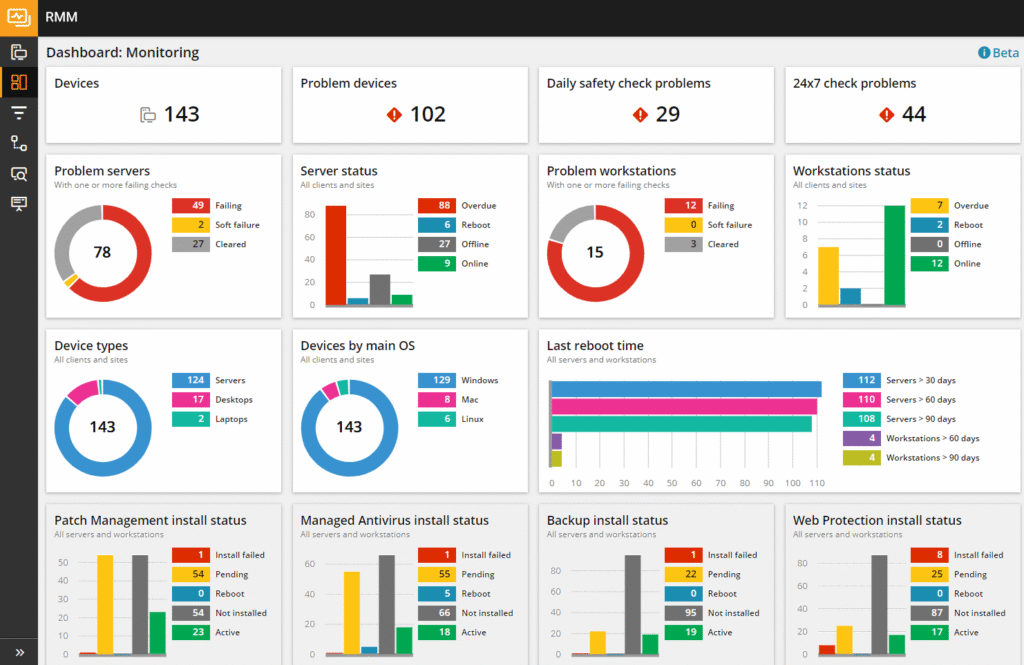
Source: N-Able N-Sight
16. ConnectWise Automate

Best for: MSPs needing deep automation and granular endpoint control
Strengths: Extensive automation, scripting, patching, remote support
Things to consider: Dated interface, complex setup, primarily Windows-focused
ConnectWise Automate is a remote monitoring and management platform built for MSPs that need granular control and deep automation across many endpoints. It monitors, manages, and supports endpoints while automating repetitive work.
The platform emphasizes customizable monitoring, automated remediation, and scripting, and offers on-premises or cloud hosting. It primarily supports Windows endpoints.
Key features include:
- Automation and scripting: Automate executes known remediations automatically to reduce repetitive work and lower escalation rates, with AI-assisted PowerShell script drafting that keeps a human in the loop for approval.
- Prebuilt scripts and monitors: A library of prebuilt scripts and monitors expands visibility and reduces time to resolution, and a custom script library standardizes fixes across clients and sites.
- Data views and visibility: Data views let technicians search, filter, and export insights across environments, querying endpoints for specific software, versions, or configurations on demand.
- Patch management: The platform keeps Windows current with approval policies, pilot groups, and maintenance windows, and tracks compliance with reporting and exceptions management.
- Remote support: Technicians get access to endpoints for diagnostics and fixes, including background troubleshooting for silent maintenance, with role-based permissions and audit trails.
- Flexible deployment: ConnectWise Automate allows deep manual customization and offers both on-premises and cloud hosting options to fit different environments.
Limitations (as reported by users on G2):
- Dated interface: Users describe the interface as outdated and unintuitive, creating a steep learning curve for new technicians.
- Complex setup and tuning: Users report that initial setup takes considerable time and that default monitoring is noisy and patching is complex to configure correctly.
- Cross-platform and scaling: Some users note macOS and Linux support is weaker than Windows and that the platform can struggle to scale at very high endpoint counts.
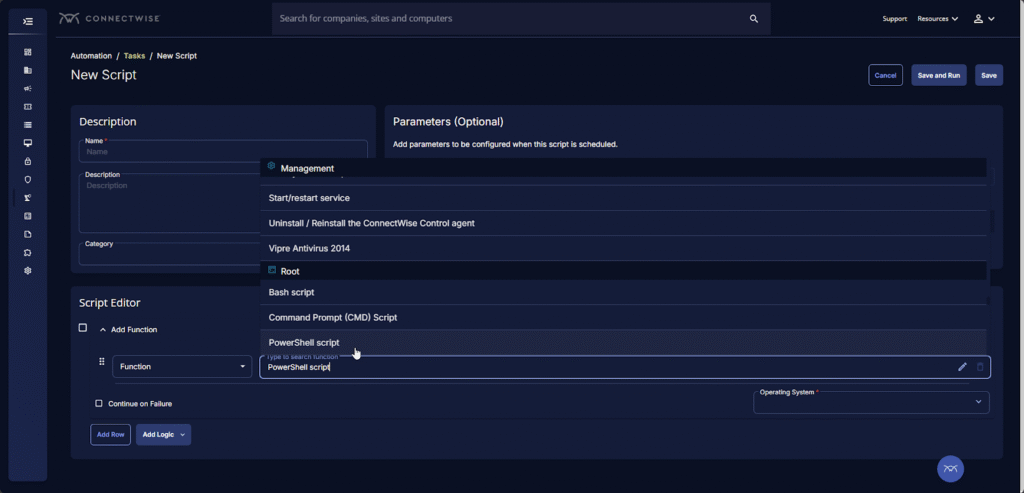
Source: ConnectWise
Should You Consider BYOD Protection Solutions as a Microsoft Intune Alternative? Key Considerations
When evaluating whether to stay with Microsoft Intune or move to a modern secure remote work platform, the decision largely depends on your organization’s device ownership model, security needs, user experience goals, and IT resource constraints. Unified endpoint management (UEM) platforms like Intune offer comprehensive control, but that control often comes at the cost of user privacy, onboarding complexity, and support overhead, especially in bring-your-own-device (BYOD) environments.
Key considerations include:
- User privacy and device control: UEM tools like Intune often require mobile device management (MDM) enrollment to enforce security policies. This gives IT teams deep control over devices but can create user resistance, particularly for employees using personal devices. BYOD protection platforms, by contrast, focus on isolating work environments without managing the entire device. This preserves user privacy while still protecting corporate data, making adoption easier and minimizing friction.
- App and data isolation: BYOD protection platforms use technologies such as local workspace containers or encrypted zones to separate business apps and data from personal use. This provides strong data protection without device-wide oversight. Intune supports mobile application management (MAM) with app protection policies, but these are mostly limited to Microsoft 365 apps. If your workflows rely on third-party or custom apps, a platform purpose-built for secure BYOD may offer more flexibility.
- Onboarding and deployment speed: UEM tools generally require configuration profiles, compliance policies, and app deployment steps that can delay onboarding. Secure BYOD platforms often use lightweight clients or containerized environments that users can activate quickly, reducing setup time and IT support burden, especially helpful for contractors or temporary workers.
- Cross-platform consistency: Managing policies across iOS, Android, and other platforms can be inconsistent with UEMs like Intune. Many BYOD solutions are designed from the ground up to deliver uniform experiences across operating systems, which simplifies policy enforcement and improves the user experience across device types.
- Licensing and cost considerations: UEM platforms may require higher licensing tiers for advanced features, which can be cost-prohibitive for small and mid-sized businesses. BYOD protection platforms often offer simpler pricing models and better cost alignment for organizations that don’t need full device lifecycle management.
- Regulatory and security requirements: If your organization operates in a highly regulated industry, a UEM may still be necessary for full device control and audit capabilities. However, many BYOD platforms now meet stringent compliance requirements (e.g., HIPAA, SOC 2) through secure workspaces and data handling policies—without needing to manage the full device.
Learn more in our detailed guide to Intune BYOD
Blue Border: Ultimate Intune Alternative for BYOD
Venn’s Blue Border secures company data on BYOD laptops without taking over the entire device. Work apps and data run in an encrypted, company-controlled secure enclave, isolated from personal activity. IT gets full control over corporate data, while users keep their personal files and settings. With zero trust access, customizable restrictions, and built-in compliance support, Venn protects sensitive information without compromising privacy or user experience, making it a great Intune alternative for BYOD.

Any worker. Any laptop. Any AI workflow. Fully secured.
Schedule a demo to see how Blue Border™ secures company data and apps without shipping laptops, running VDI, or managing personal endpoints.