17 HIPAA Compliance Software Solutions to Know in 2026


See Venn first in Google Search
Add as a preferred source on Google
TL;DR: HIPAA compliance software helps healthcare organizations protect PHI, automate risk assessments and evidence, and stay audit-ready. Best for BYOD security: Blue Border; automation: Sprinto; healthcare programs: Compliancy Group; secure email: Paubox.
What Is HIPAA Compliance Software?
HIPAA compliance software streamlines the process of meeting federal healthcare privacy and security standards. It automates administrative tasks, enforces data safeguards like encryption and access controls, and monitors security gaps for organizations handling Protected Health Information (PHI).
HIPAA compliance software provides a framework for healthcare organizations and their business associates to achieve and maintain adherence to the Health Insurance Portability and Accountability Act (HIPAA) regulations. These solutions help manage the complex tasks of protecting electronic protected health information (ePHI), automating evidence collection, and preparing for audits.
Effective HIPAA compliance software typically includes the following features:
- Comprehensive risk assessments: Tools for conducting detailed security risk analyses to identify gaps in safeguards, often using guided questionnaires and automated assessments.
- Policy and procedure management: Pre-built, customizable templates for creating and managing required HIPAA policies and procedures (Privacy, Security, and Breach Notification Rules).
- Automated evidence collection: Integration with existing systems (like AWS, Azure, Google Drive, HR platforms) to automatically collect and document evidence of compliance efforts, reducing manual work.
- Continuous monitoring: Real-time monitoring of security controls and IT systems to promptly detect vulnerabilities or non-compliance issues.
- Employee training and tracking: Modules to assign, track, and certify employee completion of mandatory HIPAA security and privacy awareness training.
- Business associate agreement (BAA) management: Features to manage and track contracts and BAAs with vendors and third parties who handle PHI.
- Incident management: Tools for documenting, tracking, and reporting data breaches or security incidents in compliance with breach notification rules.
- Audit support and reporting: Centralized documentation and audit-ready reports to simplify the process of responding to audits or investigations by regulatory bodies.
Achieve HIPAA Compliance on Unmanaged Laptops
Learn how to keep sensitive data secure and HIPAA compliant when contractors and remote workers use personal laptops.

HIPAA Compliance Software at a Glance
The table below summarizes the key differences between the HIPAA compliance software solutions covered in this article. We explore each of them in more detail further down.
| Category | Solution | Best For | Key Strengths | Things to Consider |
|---|---|---|---|---|
| BYOD and Secure Workspace Solutions | Blue Border by Venn | Securing company data on unmanaged and BYOD laptops | Local app speed inside a company-controlled secure enclave | Support response times and reporting depth |
| BYOD and Secure Workspace Solutions | Jamf Pro | Managing and securing Apple devices at scale | Same-day support for new Apple OS features plus MDM | Apple-only scope and a steep learning curve |
| BYOD and Secure Workspace Solutions | Workspace ONE | Unified endpoint management across mixed device fleets | One console for Windows, macOS, iOS, Android, and more | Complex initial setup and licensing |
| HIPAA Compliance Automation and GRC Software | Sprinto | Cloud-native teams automating multi-framework compliance | Continuous control monitoring and automated evidence | Limited workflow customization and renewal pricing |
| HIPAA Compliance Automation and GRC Software | Scytale | First-time compliance teams wanting guided expert support | Automation paired with dedicated GRC advisers | Smaller integration library and setup effort |
| HIPAA Compliance Automation and GRC Software | HIPAA One | Healthcare orgs running annual HIPAA risk assessments | Guided SRAs and PBRAs with year-over-year carryover | Home-screen navigation and initial ramp-up |
| HIPAA Compliance Automation and GRC Software | Accountable | Small practices and MSPs needing all-in-one HIPAA | AI risk assessment, training, and BAA tracking in one place | Manual effort and a rigid experience |
| HIPAA Compliance Automation and GRC Software | HIPAA E-Tool | Covered entities that need plain-language HIPAA guidance | Step-by-step rules with customizable policies and forms | Limited automation and integrations |
| HIPAA Compliance Automation and GRC Software | EPICompliance | Healthcare orgs covering HIPAA, OSHA, and Medicare rules | Training, policies, BAAs, and monthly tasks in one system | Time to add new courses |
| HIPAA Compliance Automation and GRC Software | Compliancy Group | Providers wanting a coached, all-in-one HIPAA program | Templated policies, training, and guided risk assessments | Occasional lag and limited automation |
| HIPAA Compliance Automation and GRC Software | HIPAAtrek | Practices centralizing HIPAA policies, BAAs, and training | Version-tracked documents with automated reminders | Onboarding preparation and limited integrations |
| HIPAA Compliance Automation and GRC Software | Vanta | Growing SaaS teams operationalizing HIPAA and other frameworks | Broad integrations and continuous automated evidence | Cost, renewal creep, and limited customization |
| HIPAA Compliance Automation and GRC Software | Hyperproof | Teams managing many frameworks from one control set | Centralized controls, evidence, and audit workflows | Learning curve and limited reporting flexibility |
| HIPAA Compliance Automation and GRC Software | Abyde | Small and mid-sized practices without a compliance team | Automated risk analysis and one-click policy generation | HIPAA and OSHA focus, not multi-framework |
| Secure Communications and File Sharing | Paubox | Healthcare teams sending HIPAA-compliant email | Automatic encryption with no portals or extra logins | Archiving depth and form setup |
| Secure Communications and File Sharing | TigerConnect | Care teams needing secure clinical messaging | Encrypted messaging with role-based routing and EHR ties | Contract flexibility and dependence risk |
| Secure Communications and File Sharing | SFTP To Go | Healthcare orgs needing secure file transfer and storage | Encrypted SFTP/FTPS/HTTPS on AWS with signed BAAs | Admin configuration and notification reliability |
In this article:
Benefits of HIPAA Compliance Tools
Using HIPAA compliance software offers several operational and regulatory advantages for healthcare organizations and their partners:
- Centralized compliance management: All compliance tasks such as risk assessments, policy documentation, and employee training are managed from a single platform, making it easier to maintain oversight and ensure consistency.
- Automated risk assessments: Built-in tools guide organizations through security risk assessments, automatically identifying gaps in compliance and suggesting mitigation strategies based on HIPAA standards.
- Real-time audit readiness: Documentation and activity logs are continuously updated and stored in a structured format, making it easier to produce required evidence during HIPAA audits or investigations.
- Ongoing policy and training updates: Software platforms often include regularly updated templates and training modules to ensure that staff stay informed about the latest HIPAA changes and organizational policies.
- Reduced administrative overhead: Automating repetitive compliance tasks, such as sending reminders for training or tracking risk mitigation progress, frees up resources for higher-priority work.
- Improved incident response: Some tools include built-in breach response workflows, helping teams quickly assess, document, and report security incidents in line with HIPAA breach notification rules.
- Enhanced visibility and reporting: Dashboards and reporting features provide insights into compliance status, overdue tasks, and unresolved risks, allowing leadership to make informed decisions.
Key Features of HIPAA Compliance Software
Comprehensive Risk Assessments
Modern HIPAA compliance software performs thorough risk assessments by examining the organization’s systems, processes, and controls. These tools help identify areas of vulnerability, such as outdated software or weak access controls that could expose PHI. Automated assessments simplify the process of mapping threats and vulnerabilities while providing risk ratings, prioritized remediation steps, and supporting documentation.
Regular risk assessments are vital for compliance because HIPAA requires organizations to formalize their understanding of potential threats. Software platforms may schedule assessments at defined intervals, generate executive-level summaries, and retain a historical log of risk management activities.
Policy and Procedure Management
Policy and procedure management is a core feature in HIPAA compliance software, providing a centralized repository for all compliance-related documentation. These platforms enable organizations to create, update, and distribute policies according to regulatory requirements and internal workflows. By managing version histories and acknowledging policy reviews, the software helps maintain up-to-date practices across all departments.
In addition, automated notification and attestation workflows ensure employees are made aware of new or updated policies. Traceable digital records reinforce accountability, demonstrating that policies are not only written but actively communicated and followed.
Automated Evidence Collection
Automated evidence collection relieves much of the administrative headache of gathering proof for compliance activities. HIPAA compliance software can automatically record user access logs, policy attestations, training completions, and corrective actions as they occur. These records create a comprehensive audit trail, reducing the scramble to find documentation when responding to investigations or audits.
Effective automated evidence collection also improves data integrity. These platforms can flag missing or outdated records, prompt responsible staff to address gaps, and store documentation in secure, easy-to-access formats. This continuous approach to evidence gathering helps meet record retention requirements.
Continuous Monitoring
Continuous monitoring is a crucial feature ensuring compliance doesn’t degrade over time. These tools monitor technical and administrative controls for abnormalities, unauthorized access, or other compliance deviations. Real-time alerts and dashboards keep IT and compliance staff informed about issues as soon as they arise, allowing immediate investigation and remediation.
Beyond threat detection, continuous monitoring allows organizations to demonstrate ongoing diligence required by HIPAA’s Security Rule. Some platforms provide detailed logs, trend analysis, and automated incident correlation to help organizations not only detect but also anticipate future risks.
Access Controls
Access controls apply role-based restrictions so staff only see the “minimum necessary” information they need to do their jobs. HIPAA compliance software enforces these safeguards and pairs them with audit logs that provide immutable tracking of who accessed, modified, or exported patient records. Together, role-based access and detailed audit logs help organizations demonstrate that PHI is available only to authorized users and that every interaction with sensitive records is documented.
Employee Training and Tracking
HIPAA requires ongoing training for employees, and compliance software typically offers integrated training modules along with tracking and reporting capabilities. These modules ensure staff understand HIPAA rules and their individual responsibilities for handling PHI. Training programs are often customizable, include scenario-based learning, and feature built-in assessments to reinforce retention.
Tracking employee participation and completion rates ensures no one falls through the cracks and keeps organizations in step with HIPAA’s documentation mandates. The software generates detailed training records, stores certificates of completion, and issues reminders for retraining intervals.
Business Associate Agreement (BAA) Management
Managing Business Associate Agreements (BAAs) is essential for organizations that rely on third parties to process PHI. HIPAA compliance software automates the creation, storage, and monitoring of BAAs, reducing the risk of expired or incomplete agreements. The system provides templates, tracks the status of each BAA, and notifies when renewals or updates are needed.
In addition to version control, BAA management modules maintain a centralized record of all business associates, supporting due diligence in vendor management. Automated workflows improve accountability and ensure compliance with HIPAA’s requirement to have agreements in place before sharing PHI.
Incident Management
Incident management features enable organizations to document, track, and respond to suspected HIPAA breaches or violations. These tools guide users through investigation steps, incident classification, and required notifications under the Breach Notification Rule. Software solutions can enforce workflows for timely documentation, root cause analysis, and corrective actions.
Comprehensive incident logs and reporting capabilities aid regulatory response and internal reviews. By centralizing incident management within the compliance platform, organizations can quickly identify trends, measure response times, and improve procedures based on real-world incidents. Fast, organized responses to breaches help limit legal liability and protect patient data.
Audit Support and Reporting
HIPAA compliance software eases the audit process by compiling all necessary documentation and evidence in standardized reports. Audit support tools help organizations prepare for both internal and external audits by mapping compliance activities to regulatory requirements. This ensures there are no last-minute scrambles for records or proof during an investigation.
Automated reporting capabilities enable quick generation of gap analyses, attestation reports, policy adoption logs, and more. These reports can be tailored for regulators, executives, or internal use, showcasing the organization’s commitment to compliance.
Noteworthy HIPAA Compliance Software Providers
How we selected these tools: We shortlisted HIPAA compliance software based on risk assessment, policy and training management, evidence automation, continuous monitoring, business associate agreement and vendor management, and secure handling of protected health information.
BYOD and Secure Workspace Solutions
1. Blue Border

Best for: Securing company data on unmanaged and BYOD laptops
Strengths: Local app speed inside a company-controlled Secure Enclave
Things to consider: Support response times and reporting depth
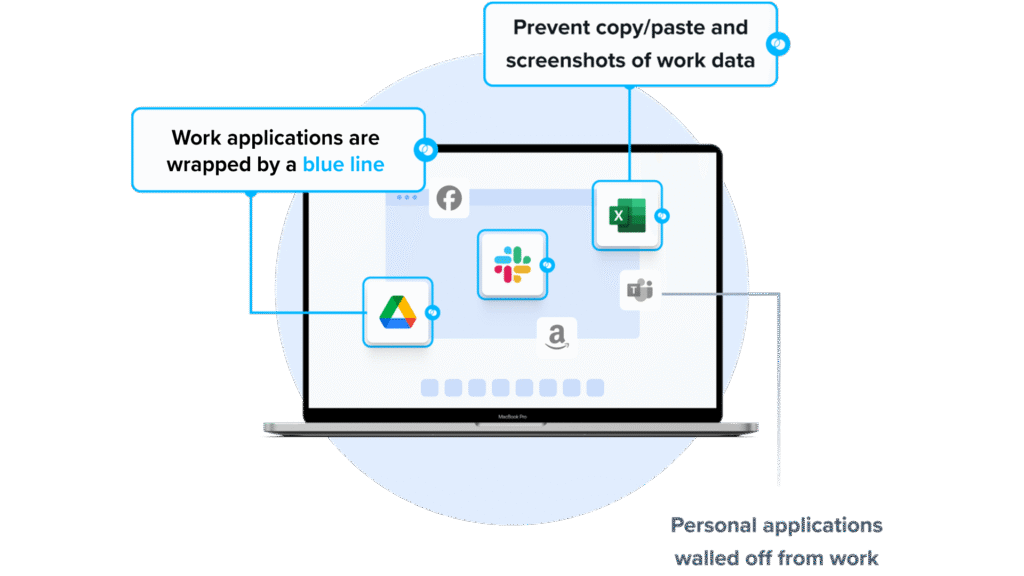
Blue Border secures company data, applications, and AI workflows on any PC or Mac used by remote clinicians, contractors, and staff. It installs a company-controlled secure enclave on the user’s device, where IT governs company data, apps, DLP policies, and which AI tools can reach that data.
Work runs locally inside the enclave at native speed, with no hosting or virtualization, while personal activity outside the enclave stays private. This lets organizations support BYOD without buying and securing laptops or running virtual desktops, and helps maintain HIPAA compliance on devices IT does not fully manage.
Key features include:
- Blue Border secure enclave: Installs a company-controlled secure enclave on any personal Mac or PC, where company data is encrypted and access is managed, isolating work from personal use on the same device.
- Granular DLP and clipboard controls: IT defines per-user restrictions for copy/paste, download, upload, screenshots, screen share, and printing to prevent data loss and exfiltration.
- AI workflow governance: Controls which AI tools and workflows can reach company data inside the enclave, blocking unauthorized access across clipboard, file upload, and screen capture.
- Device-agnostic coverage: Supports full-time employees, contractors, consultants, and BPO users on company-issued, third-party, or personal devices, across browser-based and locally installed applications.
- Zero trust access and compliance: Applies a zero trust approach that limits access based on device and user validation and supports compliance with HIPAA, PCI, SOC, SEC, and FINRA on unmanaged devices.
Limitations (as reported by users on G2):
- Support response time: Some users note that while support is helpful, resolving certain issues can take longer than expected.
- Mobile access: A few reviewers would like broader mobile accessibility alongside the desktop experience.
- Reporting detail: Some users would welcome more detailed reporting options within the platform.
2. Jamf Pro

Strengths: Same-day support for new Apple OS features plus MDM
Things to consider: Apple-only scope and a steep learning curve
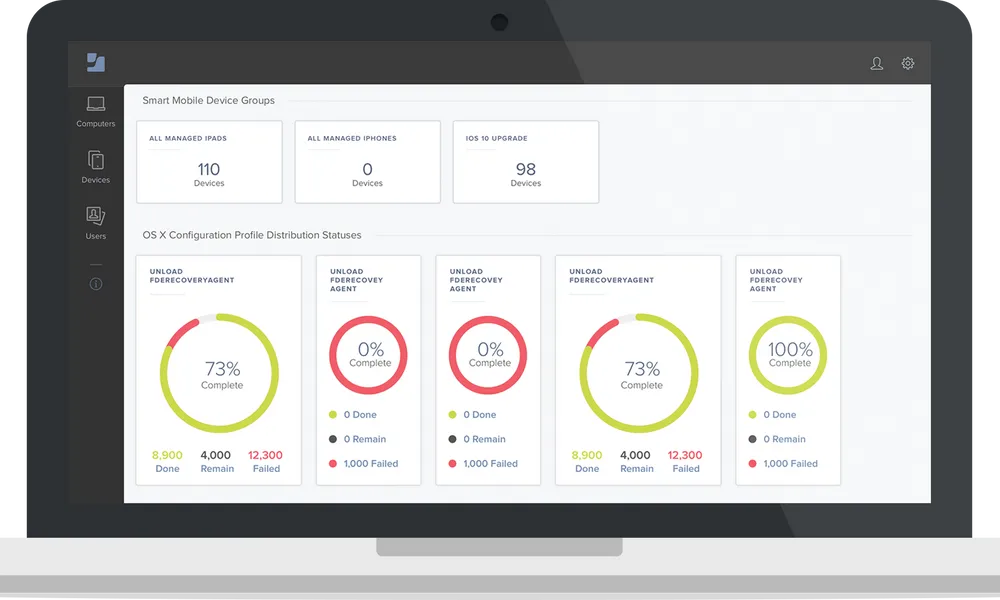
Jamf Pro is an Apple device management and security platform for macOS, iOS, iPadOS, and tvOS. It automates provisioning, configuration, security enforcement, and patching using native Apple features, and works alongside identity providers such as Microsoft, Google, and Okta to support HIPAA compliance in healthcare environments.
Key features include:
- Zero-touch deployment: Provisions Mac, iPhone, iPad, and Apple TV, including BYOD, through Automated Device Enrollment with no manual setup by IT or the user.
- Declarative device management: Manages device settings, commands, app installations, and restrictions across Apple devices using Blueprints and Apple’s Declarative Device Management.
- Inventory management: Automatically collects hardware, software, user, and security configuration details from managed devices to support compliance visibility.
- Security enforcement: Applies compliance baselines based on industry benchmarks, enforces encryption, and runs remote commands to lock, wipe, or restrict devices without user interaction.
- App lifecycle and identity integration: Automates secure app deployment with Self Service+ and integrates with Microsoft Entra, Google, and Okta for Zero Trust Network Access and identity-based authentication.
Limitations (as reported by users on G2):
- Learning curve: New administrators can find the interface challenging, and effective use often requires training that some describe as costly.
- Apple-only scope: The platform manages only Apple devices and does not cover Windows or Android endpoints.
- Reporting and cost: Reporting and analytics are described as light, with web-based reports hard to export, and several users cite pricing as a limiting factor.
Source: Jamf
3. Workspace ONE
Best for: Unified endpoint management across mixed device fleets
Strengths: One console for Windows, macOS, iOS, Android, and more
Things to consider: Complex initial setup and licensing
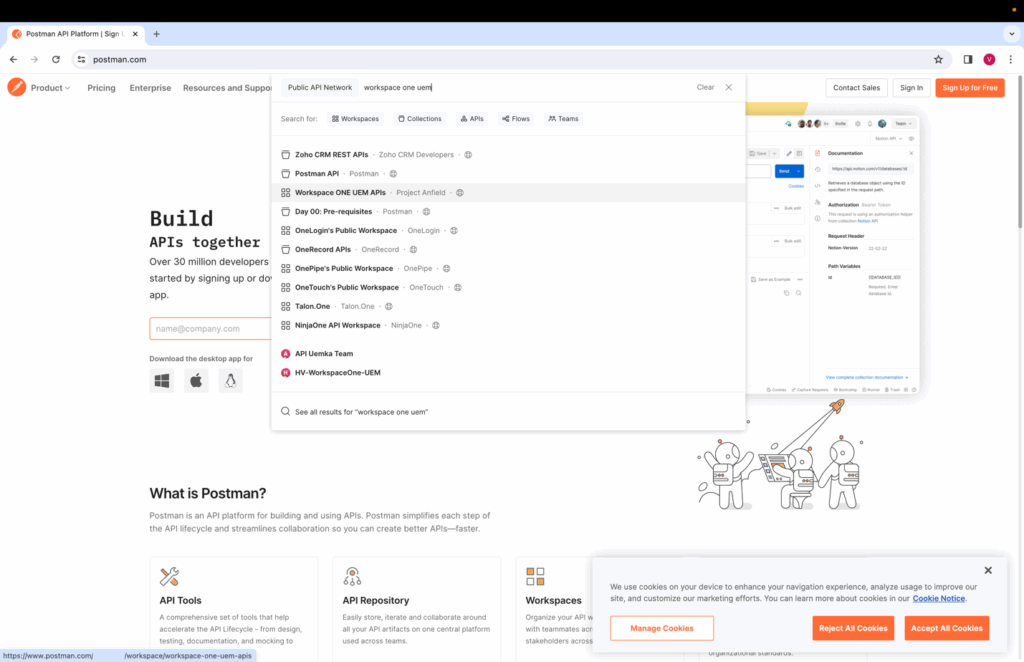
Workspace ONE UEM, from Omnissa, is a cloud-native unified endpoint management platform that manages desktops, mobile, rugged, server, and specialty devices across Windows, macOS, iOS, Android, Linux, and ChromeOS from a single console. It combines device management, application management, and security with conditional access and device posture checks to support HIPAA compliance and zero trust initiatives.
Key features include:
- Unified endpoint management: Manages BYOD, corporate-owned, and shared devices across operating systems from one console, using a multi-tenant architecture for policy and access by business unit or geography.
- Zero-touch onboarding and orchestration: Automates device enrollment, provisioning, patching, and remediation with low- and no-code workflows through Freestyle Orchestrator.
- Zero trust security enforcement: Applies conditional access, compliance policies, and device posture checks, enforcing encryption and least-privilege access before granting access to apps and data.
- App lifecycle management: Delivers a full app lifecycle through Workspace ONE Intelligent Hub, a unified self-service app catalog with single sign-on, including Office 365.
- Remote support and analytics: Provides remote support and remediation through Workspace ONE Assist and uses analytics to anticipate and resolve endpoint issues before users are affected.
Limitations (based on user reviews on PeerSpot):
- Setup complexity: Initial setup and licensing are described as complex, requiring planning and experience to configure correctly.
- Support and documentation: Some users report that support quality and documentation have weakened since the VMware-to-Omnissa transition.
- Third-party integration: Integrating with non-Omnissa or third-party tools can require extra effort, and some users report bugs across releases.
Source: Omnissa
Achieve HIPAA Compliance on Unmanaged Laptops
Learn how to keep sensitive data secure and HIPAA compliant when contractors and remote workers use personal laptops.
HIPAA Compliance Automation and GRC Software
4. Sprinto

Best for: Cloud-native teams automating multi-framework compliance
Strengths: Continuous control monitoring and automated evidence
Things to consider: Limited workflow customization and renewal pricing
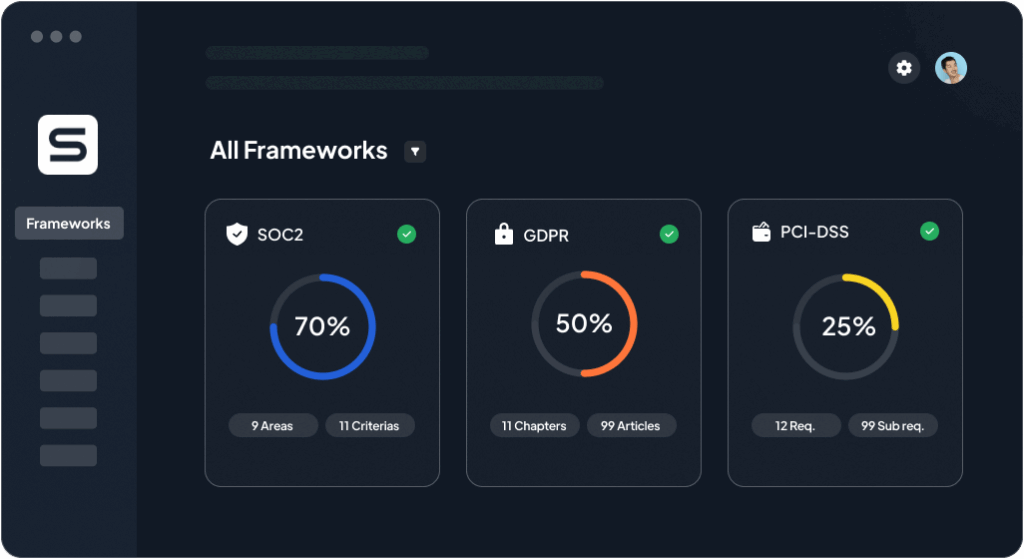
Sprinto is an autonomous trust platform that manages compliance, vendor risk, and AI governance across more than 200 frameworks, including HIPAA, SOC 2, ISO 27001, and HITRUST. It interprets requirements into machine-readable controls, maps them to a company’s systems, monitors them continuously, and closes gaps by refreshing evidence and routing approvals for human sign-off.
Key features include:
- Guided program setup: Scopes a HIPAA program, connects to a company’s systems, identifies gaps, and guides the organization to audit readiness.
- Continuous compliance monitoring: Monitors controls around the clock, and when something drifts it acts by closing gaps, refreshing evidence, and routing approvals.
- Automated evidence collection: Gathers compliance artifacts through native integrations and maintains a current audit trail, reducing manual evidence gathering.
- Autonomous third-party risk management: Discovers vendors as they enter the environment, tiers them by risk, launches due diligence, and follows up until reviews are complete.
- Unified controls and Trust Center: Maps frameworks, regulations, and internal policies into a single control set and provides a Trust Center plus security-questionnaire automation.
Limitations (as reported by users on G2):
- Limited customization: Some users find workflows and reports rigid when tailoring beyond standard framework setups.
- Renewal pricing: Reviewers note renewal quotes can rise, and the platform can be costly for smaller businesses.
- Desktop app and support: Some report the tool is not fully web-based and requires a downloaded app, with occasional glitches and inconsistent support response times.
Source: Sprinto
5. Scytale

Best for: First-time compliance teams wanting guided expert support
Strengths: Automation paired with dedicated GRC advisers
Things to consider: Smaller integration library and setup effort
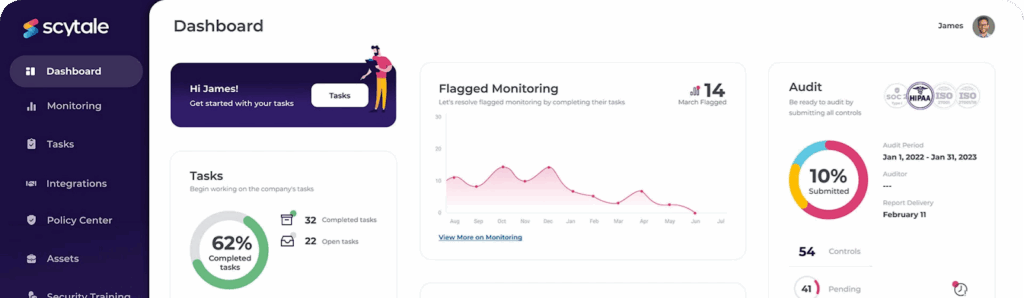
Scytale is an AI GRC platform combined with human compliance experts that manages compliance across more than 80 frameworks, including HIPAA, SOC 2, ISO 27001, and GDPR. It automates evidence collection, control cross-mapping, continuous monitoring, and risk management, and adds penetration testing, security-questionnaire automation, and a Trust Center.
Key features include:
- HIPAA risk and self-assessments: Runs structured risk assessments and self-audits to identify where PHI may be at risk and to demonstrate readiness.
- Automated evidence collection: Integrates with tools such as AWS, GitHub, and HR systems to gather proof of controls automatically and reduce audit preparation time.
- Continuous control monitoring: Tracks control status in real time and alerts teams to failures or misconfigurations before an auditor would find them.
- Control cross-mapping: Maps shared controls across 80+ frameworks so evidence and policies are reused rather than duplicated across certifications.
- Expert services and Trust Center: Provides dedicated compliance advisers, offensive security and penetration testing, and a Trust Center for sharing compliance status.
Limitations (as reported by users on G2):
- Integration reliability: Some users report the automated AWS control population can be unreliable when infrastructure does not match expectations.
- Support escalations: Technical tickets needing escalation to the automation team can take around two days to resolve.
- Pricing and integrations: A few reviewers cite annual price increases and a smaller integration library than larger competitors.
Source: Scytale
6. HIPAA One
Best for: Healthcare orgs running annual HIPAA risk assessments
Strengths: Guided SRAs and PBRAs with year-over-year carryover
Things to consider: Home-screen navigation and initial ramp-up
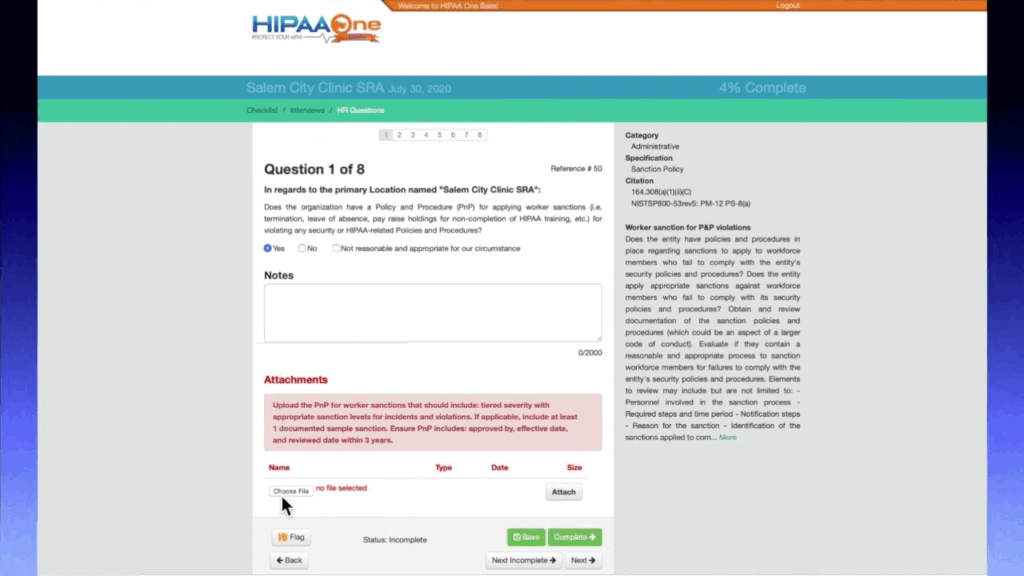
HIPAA One, part of Intraprise Health by Health Catalyst, is a cloud-based software suite that guides healthcare organizations through annual HIPAA assessments, workforce training, and vendor management. It automates security risk assessments and privacy and breach risk assessments and helps teams remediate risk across devices, applications, and networks.
Key features include:
- Security Risk Assessments: Automates the annual HIPAA security risk assessment with step-by-step guidance, automated risk calculation, reporting, and action-plan creation.
- Privacy and Breach Risk Assessments: Assesses privacy practice vulnerabilities and data across devices, applications, and networks, aligned with state laws and rules such as 42 CFR Part 2.
- Workforce HIPAA training: Provides online HIPAA training courses for staff across small practices and enterprise organizations.
- Business Associate Manager: Creates, organizes, and manages vendor contracts in a web-based application to track compliance obligations.
- Enterprise assessment management: Centralizes assessments across entities, eliminates duplicate entries, and carries prior assessments forward to speed repeat SRAs and PBRAs.
Limitations (based on user reviews on Capterra):
- Navigation: Some users find navigation from the home screen less intuitive than expected.
- Initial ramp-up: A few reviewers describe the early setup as tedious and note that assistance is not always immediately available.
- Assessor variability: Some users report the experience can depend on the assigned compliance auditor.
Source: Intaprise Health
7. Accountable

Best for: Small practices and MSPs needing all-in-one HIPAA
Strengths: AI risk assessment, training, and BAA tracking in one place
Things to consider: Manual effort and a rigid experience
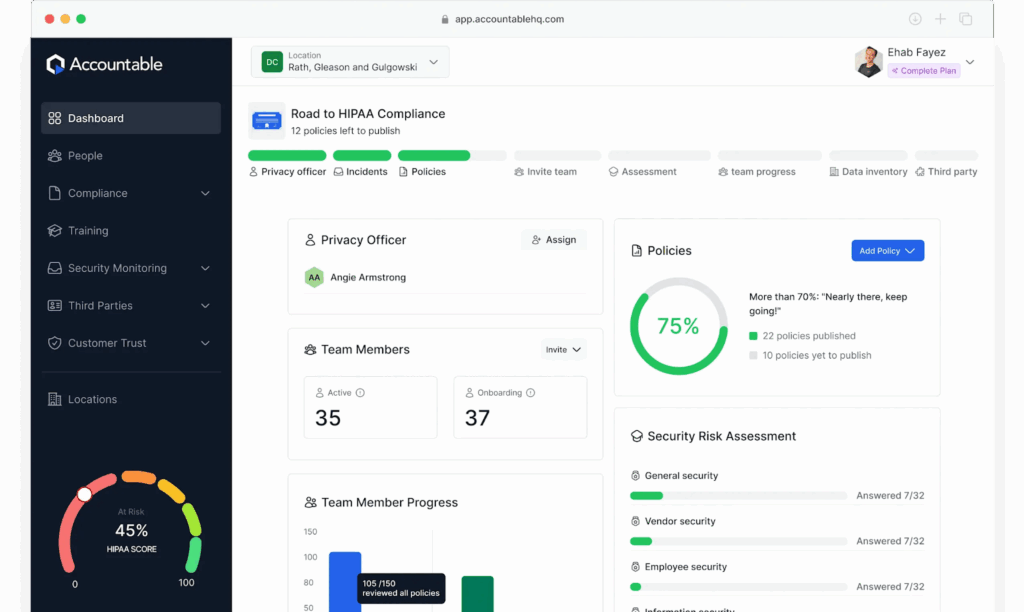
Accountable HQ is an all-in-one HIPAA compliance platform for healthcare providers and their business associates. It combines employee training, an AI-driven security risk assessment, policy templates, vendor and BAA management, incident reporting, and compliance reporting in a single dashboard.
Key features include:
- AI security risk assessment: Identifies compliance gaps and provides step-by-step remediation, using answers about the business to tailor the assessment.
- Employee training and tracking: Delivers annual HIPAA and security awareness training with automated reminders and completion tracking.
- Policy and procedure templates: Provides customizable policy and procedure templates that can be published, assigned, and kept up to date.
- Vendor and BAA management: Tracks business associates, sends BAAs, and manages contracts so signed agreements are not missed.
- Multi-location management and reporting: Manages compliance across multiple locations from one dashboard and generates internal audit reports and shareable compliance proof.
Limitations (as reported by users on G2):
- Manual effort: Some users note the platform requires significant time to work through to gain the full benefit.
- Rigid experience: A few reviewers describe the workflows as rigid and the content as dry.
- Signer registration: Some users dislike that BAAs are sent from within Accountable and that outside recipients must register for an account.
Source: Accountable
8. HIPAA E-tool

Best for: Covered entities that need plain-language HIPAA guidance
Strengths: Step-by-step rules with customizable policies and forms
Things to consider: Limited automation and integrations
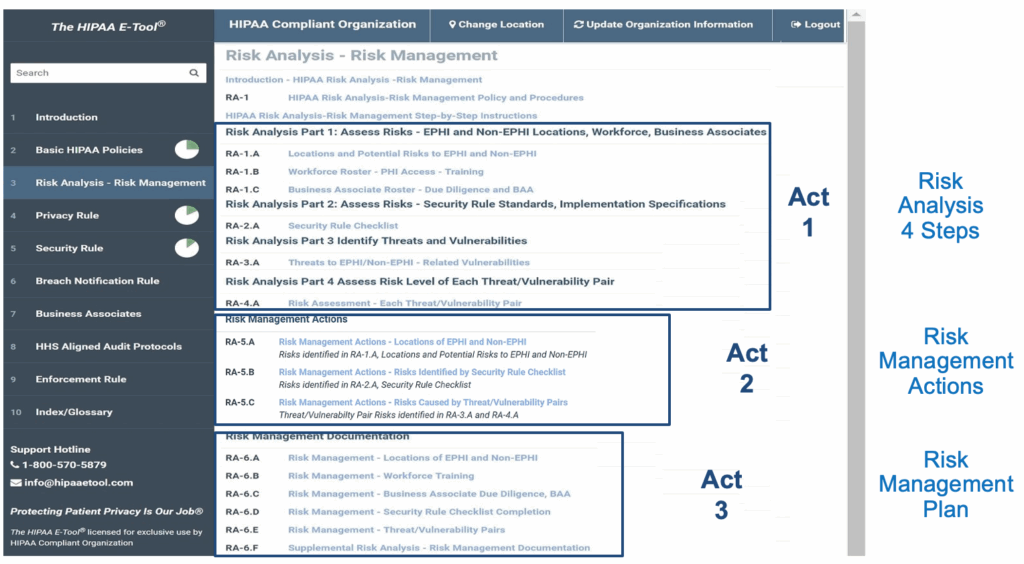
The HIPAA E-Tool is a web-based, software-as-a-service compliance solution that walks covered entities and business associates step by step through HIPAA Privacy and Security Rule requirements. It provides customizable policies, procedures, forms, and lessons, plus training, and is written and maintained by a HIPAA compliance attorney.
Key features include:
- Web-based access: A fully online solution available on demand with no installation required.
- Customizable policies and forms: Lets users personalize policy, procedure, and form templates with their organization’s name and contact details.
- Step-by-step guidance: Interactive tools walk users through HIPAA rules in plain-language explanations.
- Searchable compliance library: An exclusive search feature provides fast access to HIPAA Privacy and Security topics, regulations, and supporting materials.
- Risk analysis and training: Includes tools to conduct self-assessments and document risk mitigation, plus online and live HIPAA training.
Limitations (based on publicly available sources):
- Scope: The product centers on policies, forms, training, and guidance rather than continuous technical monitoring of systems.
- Automation and integrations: It offers limited automated evidence collection or integrations compared with automation-focused GRC platforms.
- Third-party validation: Independent user reviews are limited compared with larger vendors, which makes side-by-side comparison harder.
Source: HIPAA E-tool
9. EPICompliance

Best for: Healthcare orgs covering HIPAA, OSHA, and Medicare rules
Strengths: Training, policies, BAAs, and monthly tasks in one system
Things to consider: Time to add new courses
EPICompliance is an online platform that helps healthcare organizations manage federally mandated compliance, including HIPAA Privacy and Security, OSHA for healthcare, and ACA/OIG Medicare requirements. It combines training and certification, a document repository, automated monthly compliance tasks, and business associate agreement management.
Key features include:
- Integrated compliance training: Online HIPAA Privacy and Security, OSHA, and ACA/OIG Medicare courses with certification and course administration.
- Policy and document management: A continuously updated library of federally mandated forms, policies, and standardized documents in a cloud-based repository.
- Automated compliance tasks: Monthly task lists, security checklists, and reminders to guide the organization through ongoing compliance.
- Business Associate Agreement center: Tools to create and manage HIPAA agreements with business associates and covered entities.
- Risk assessment and advisory: Higher tiers include a HIPAA security risk assessment, a risk management plan, and compliance advisor guidance.
Limitations (as reported by users on G2):
- Course upload time: Some users note the time it takes to have a new course added to the platform.
- Volume of material: A few reviewers mention the amount of content to absorb in a short period.
- Third-party validation: The review base is smaller than larger competitors, which can limit comparison.
10. Compliancy Group

Best for: Providers wanting a coached, all-in-one HIPAA program
Strengths: Templated policies, training, and guided risk assessments
Things to consider: Occasional lag and limited automation
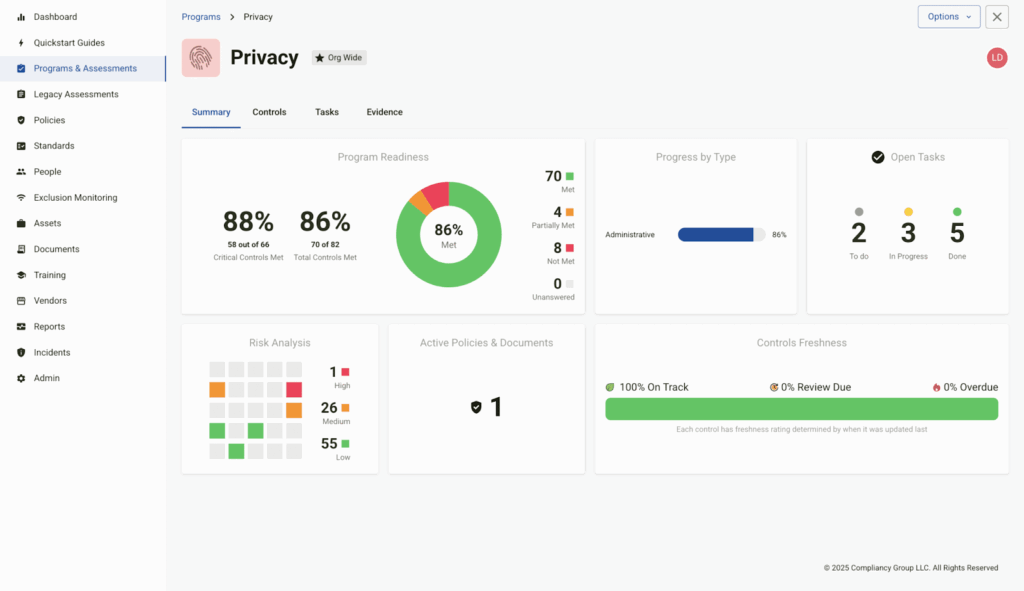
Compliancy Group offers a healthcare compliance platform, the Guard, that helps providers and business associates manage HIPAA and related requirements from a single dashboard. It combines templated policies, staff training, guided risk assessments, incident management, and compliance monitoring, supported by a coaching model.
Key features include:
- Compliance dashboard: A centralized interface for tracking training progress, assessments, remediation, and vendor status across multiple regulations.
- Policies and procedures: Prebuilt, customizable documents aligned with HIPAA requirements to standardize privacy and security practices.
- HIPAA training: Built-in video training with tracking, certificates, and employee attestations to verify participation.
- Guided risk assessments: Question-and-answer workflows that identify weaknesses and vulnerabilities and create corrective action plans.
- Incident management: A ticketing system to report, track, and resolve potential breaches and compliance events, plus a compliance trust badge.
Limitations (as reported by users on G2):
- Performance: Some users report the site can lag and that staff occasionally have trouble accessing their profiles.
- Data imports: A few reviewers note that importing information such as device details does not always work even when following the template.
- Automation: Some users would like more automation so reports from other cloud portals could feed into the platform.
Source: Compliancy Group
11. HIPAAtrek

Best for: Practices centralizing HIPAA policies, BAAs, and training
Strengths: Version-tracked documents with automated reminders
Things to consider: Onboarding preparation and limited integrations
HIPAAtrek is a cloud-based HIPAA compliance management platform that centralizes policies, contracts, training, and documentation for healthcare organizations. Built by healthcare professionals, it automates reminders, tracks document versions, and supports risk and breach assessments to reduce administrative burden and maintain audit readiness.
Key features include:
- Centralized compliance management: Stores policies, contracts, forms, and training resources in one platform with automatic version history.
- Automated reminders and alerts: Sends notifications for upcoming training, BAA renewals, and policy updates, and tracks whether security reminder emails are opened.
- Risk and breach assessments: Provides tools to conduct and document HIPAA risk assessments and manage breach investigations.
- BAA and contract management: Lets teams edit, review, and store Business Associate Agreements in a centralized, cloud-based location, with version history retained for years.
- Audit-ready reporting: Generates reports and dashboards on demand to demonstrate compliance and track outstanding tasks.
Limitations (based on publicly available sources):
- Onboarding preparation: User feedback notes that getting everything ready before onboarding takes effort.
- Integrations: The platform lists no third-party integrations and supports English only, which may limit some environments.
- Third-party validation: Independent reviews are limited, which makes direct comparison with larger vendors harder.
12. Vanta

Best for: Growing SaaS teams operationalizing HIPAA and other frameworks
Strengths: Broad integrations and continuous automated evidence
Things to consider: Cost, renewal creep, and limited customization
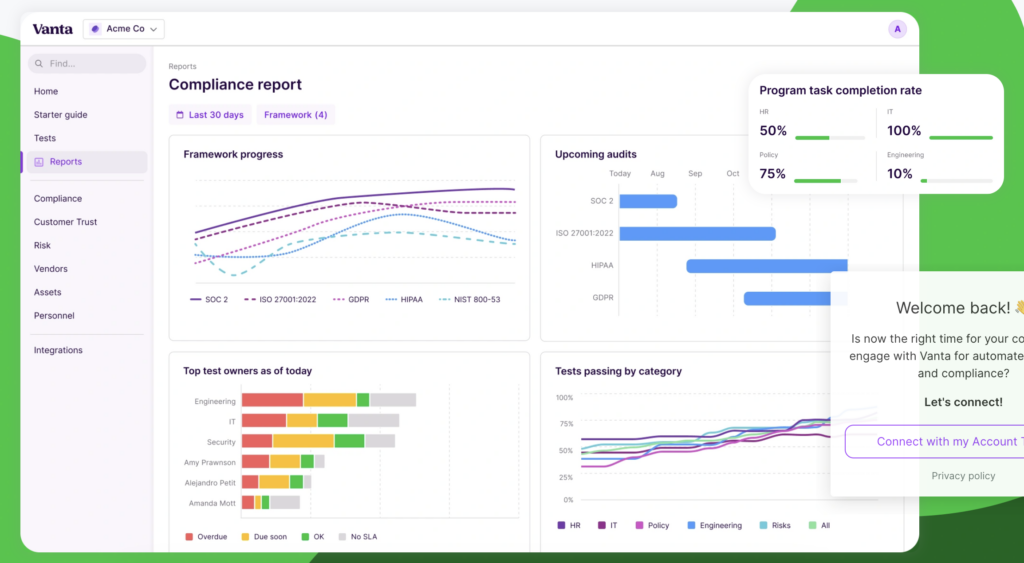
Vanta is an agentic trust and compliance platform that helps healthcare organizations and business associates operationalize HIPAA and more than 35 other frameworks. It translates HIPAA requirements into controls, policies, and tests, automates evidence collection through 400+ integrations, and maintains continuous monitoring.
Key features include:
- Automated HIPAA evidence: Pulls proof directly from connected systems through 400+ integrations and continuous testing to keep compliance current.
- Prescriptive controls and scoping: Translates HIPAA requirements into controls, policies, and tests, and uses adaptive scoping to focus controls on in-scope PHI assets.
- Framework mapping: Reuses HIPAA evidence across SOC 2, ISO 27001, and GDPR to avoid duplicating work across frameworks.
- Access and inventory monitoring: Centralizes visibility and continuous monitoring of user access and of systems that store or process PHI.
- Policies and training: Provides auditor-reviewed HIPAA policy templates and built-in HIPAA and security awareness training with tracked completion.
Limitations (as reported by users on G2):
- Cost: Reviewers frequently cite high cost, per-module charges, and renewal price increases, which can strain smaller budgets.
- Integrations: Some integrations are described as clunky or lacking depth, with gaps for niche technology stacks.
- Customization and reporting: Several users note limited customization, basic reporting depth, and a setup that can feel overwhelming at first.
Source: Vanta
13. Hyperproof

Strengths: Centralized controls, evidence, and audit workflows
Things to consider: Learning curve and limited reporting flexibility
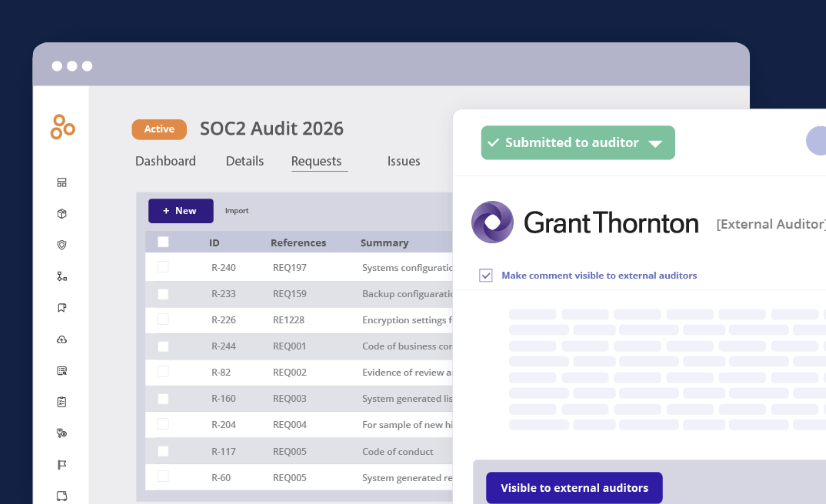
Hyperproof is an AI-powered GRC platform that helps IT, security, and compliance teams manage controls at scale across HIPAA and many other frameworks. It centralizes control management, evidence collection, risk, audits, and third-party risk, and connects controls to risks across the enterprise.
Key features include:
- HIPAA program templates: Prebuilt templates with recommended security actions and controls as a starting point.
- Centralized control management: Creates, maps, and manages a single control set across HIPAA, SOC 2, ISO 27001, and NIST CSF to reduce duplicate work.
- Evidence collection: Automates evidence collection through integrations plus manual uploads, all with clear audit trails.
- Risk and vendor management: Conducts formal HIPAA Security Rule risk assessments and manages vendor questionnaires and documentation.
- Auditor collaboration: Provides task management, evidence sharing, and an auditor portal to streamline work with internal and external auditors.
Limitations (as reported by users on G2):
- Learning curve: New or non-technical users report a learning curve, and navigation can get harder as the program grows.
- Reporting and customization: Dashboards and reporting offer limited customization, and some teams export data to a business intelligence tool for management reporting.
- Integrations and performance: The integration library is thinner than some competitors, and a few users report occasional slowness.
Source: Hyperproof
14. Abyde

Best for: Small and mid-sized practices without a compliance team
Strengths: Automated risk analysis and one-click policy generation
Things to consider: HIPAA and OSHA focus, not multi-framework
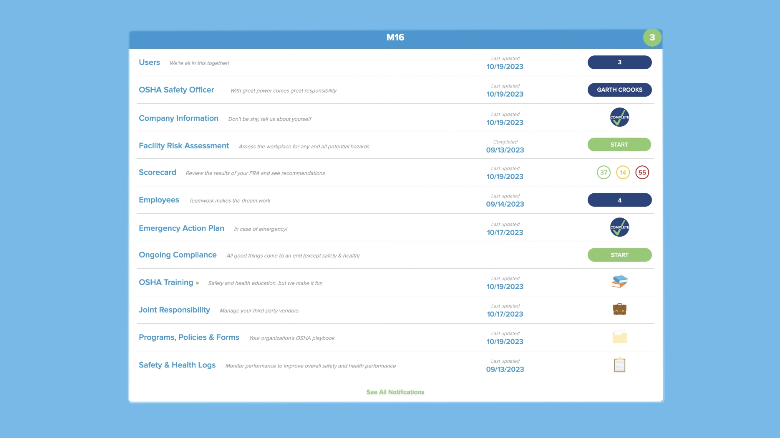
Abyde is a HIPAA and OSHA compliance solution built for small to mid-sized healthcare practices. It automates risk analysis, generates practice-specific policies, and delivers staff training, with compliance experts available for questions, complaints, breaches, and audits.
Key features include:
- Automated risk analysis: Guides practices through security risk assessments with straightforward, tailored questions and progress tracking.
- One-click policy generation: Produces HIPAA policies, procedures, and forms tailored to the practice using intelligent algorithms, kept current with federal and state rules.
- Staff training: Delivers educational videos and quizzes with certificate management to document completion.
- Secure document storage: Stores compliance-related documents within the platform.
- Expert support: Provides access to compliance experts for day-to-day questions and support during complaints, breaches, or audits.
Limitations (based on publicly available sources):
- Single-purpose scope: Abyde covers HIPAA and OSHA only and is not a multi-framework platform for standards such as SOC 2.
- Documentation focus: It centers on documentation and training rather than real-time technical monitoring.
- Scalability: It is designed for small to mid-sized practices, so very large organizations may need a broader platform.
Source: Abyde
Secure Communications and File Sharing
15. Paubox

Best for: Healthcare teams sending HIPAA-compliant email
Strengths: Automatic encryption with no portals or extra logins
Things to consider: Archiving depth and form setup
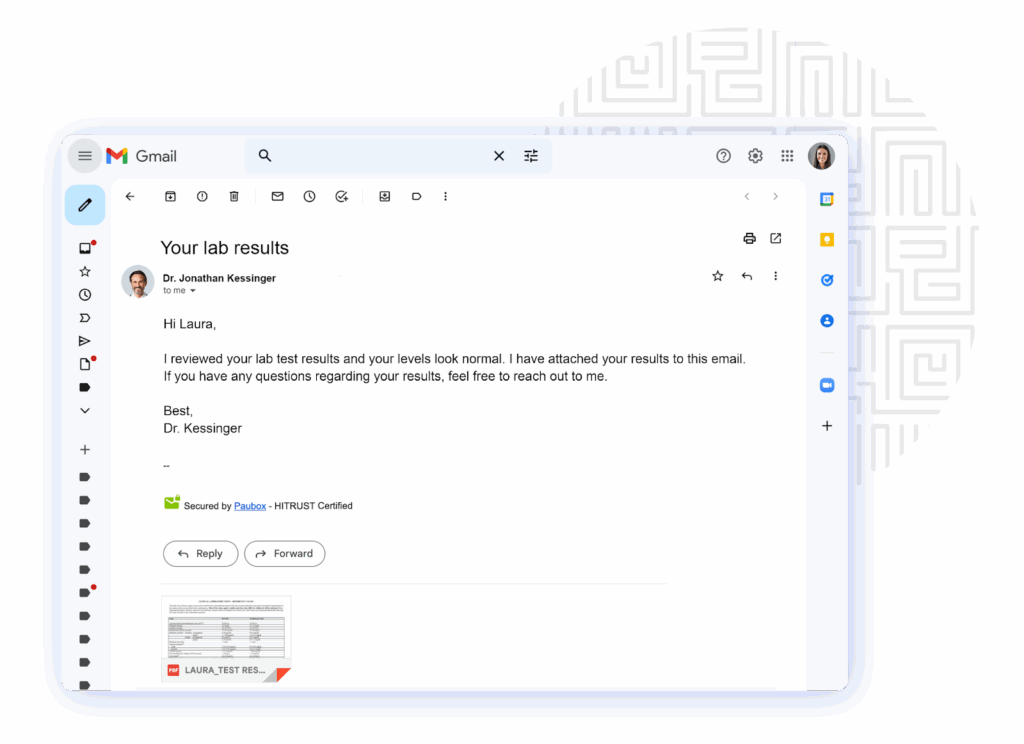
Paubox provides HIPAA-compliant email for healthcare organizations, encrypting every outbound message by default so recipients read it directly in their inbox without portals or passwords. It integrates with Google Workspace, Microsoft 365, and Exchange, and adds AI-powered inbound threat protection.
Key features include:
- Automatic outbound encryption: Encrypts every message by default and delivers directly to the inbox, sending as an attachment when a recipient’s mailbox cannot receive it.
- AI-powered inbound security: Uses generative AI to analyze tone, sender behavior, and message intent to detect and block phishing, spoofing, and malware.
- Email platform integration: Works with Google Workspace, Microsoft 365, and Microsoft Exchange without new workflows or domain changes.
- Secure forms and API: Offers HIPAA-compliant web forms for intake and consent, plus an email API for transactional email.
- Marketing and additional tools: Includes HIPAA-compliant email marketing, archiving, and data loss prevention.
Limitations (as reported by users on G2):
- Form setup: Some users found the forms feature less intuitive at first and needed time to learn it.
- Delivery visibility: A few users note it is not always obvious a message was secured until the reply thread shows it.
- Archiving depth: Publicly available sources indicate archiving and retention features may require add-ons for stringent eDiscovery needs.
Source: Paubox
16. TigerConnect

Best for: Care teams needing secure clinical messaging
Strengths: Encrypted messaging with role-based routing and EHR ties
Things to consider: Contract flexibility and dependence risk
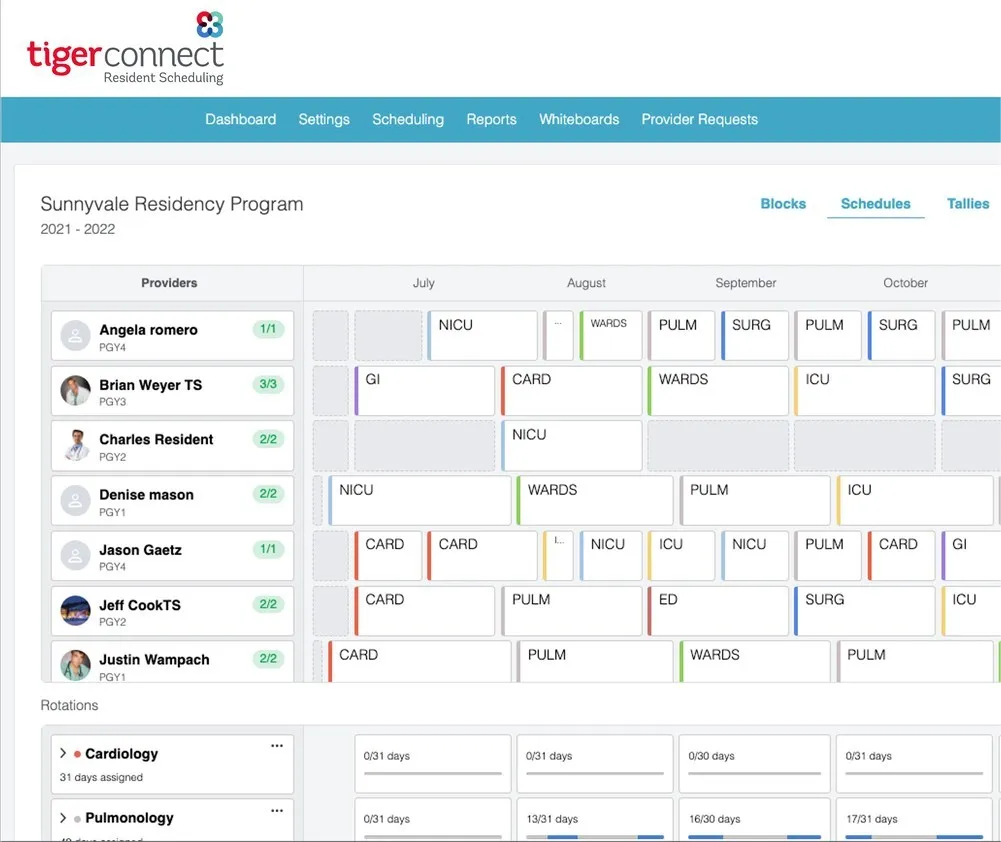
TigerConnect is a healthcare communication and collaboration platform that provides secure, HIPAA-compliant messaging and clinical workflows. It routes signals and alerts to the right role in real time and integrates with hospital systems and the electronic health record to keep daily communication compliant.
Key features include:
- Secure messaging: Encrypted text messaging with read receipts and high-priority alerts across desktop and mobile apps.
- Role-based collaboration: Lets users find and message the right clinician by role, with voice and video calling.
- Secure attachments: Shares photos, voice notes, PDFs, and files, including from cloud storage.
- Administrative controls: Provides unique user authentication, auto-deleting messages, and administrative security controls.
- System integration and activation: Integrates with hospital systems and the EHR to route signals and automate escalation across care teams.
Limitations (as reported by users on G2 and Capterra):
- Contract flexibility: Multiple users report difficulty reducing license counts mid-term or canceling contracts.
- Dependence risk: Some users note that because so many processes move onto the platform, downtime would be disruptive.
- Feature access and setup: Videoconferencing and patient communication require higher tiers, and adjusting message groups can be confusing at first.
Source: TigerConnect
17. SFTP To Go

Best for: Healthcare orgs needing secure file transfer and storage
Strengths: Encrypted SFTP/FTPS/HTTPS on AWS with signed BAAs
Things to consider: Admin configuration and notification reliability
SFTP To Go is a fully managed, cloud-native managed file transfer service built on AWS that lets healthcare organizations store, automate, and exchange files securely. It supports SFTP, FTPS, S3, and HTTPS, encrypts data in transit and at rest, and signs Business Associate Agreements on eligible plans.
Key features include:
- Encrypted transfer: Sends and receives files over SFTP, FTPS, and HTTPS with AES-256 encryption.
- Encryption at rest: Stores files encrypted on Amazon S3 using server-side AES-256 encryption.
- Access controls: Restricts access to necessary ports, enforces strong passwords and admin multi-factor authentication, and supports IP safelisting and role-based permissions.
- Audit logging: Provides file access audit logs that track timestamp, IP address, username, and file activity on request.
- Automation and BAA support: Offers REST API access, webhooks, and S3 integrations for automation, US data residency, and signed BAAs on eligible plans.
Limitations (based on user reviews on Capterra):
- Administration: Some users find certain configuration options confusing and the management interface harder to navigate at times.
- Notifications: A few reviewers report email notification rules that do not always fire consistently.
- Access customization: Some users note limited access customizability and no implicit FTPS encryption.
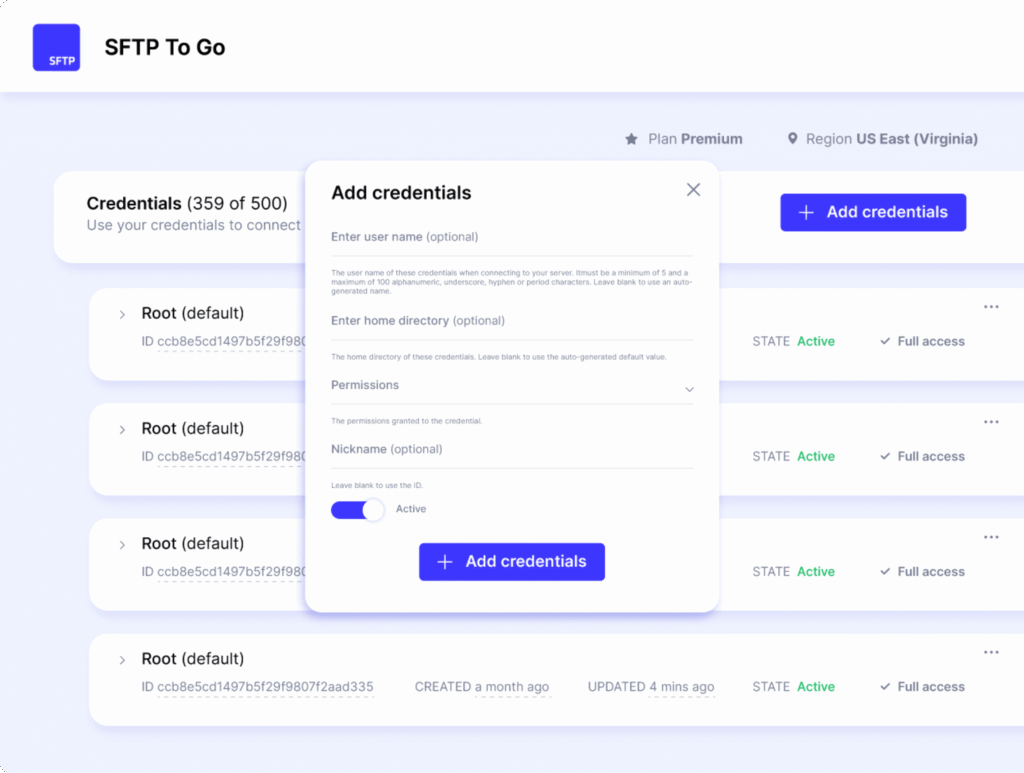
Source: SFTP To Go
Conclusion
HIPAA compliance software aids in helping healthcare organizations navigate complex regulatory requirements with greater efficiency and accuracy. By automating risk assessments, training, documentation, and monitoring, these tools reduce human error and administrative burden while strengthening an organization’s ability to safeguard protected health information. They also provide structured workflows that support continuous compliance, not just one-time efforts, ensuring that security and privacy practices evolve alongside regulatory changes and operational demands.